Date Picker
Intuit Design System Component
Design system
2019
Project Overview
Being the a previous member of QuickBooks Design system team, I had some knowledge on component work. So I signed up for this date picker component as my side project to contribute to the Intuit design system/QuickBooks design system effort.
My Role
- I was driving the visual design of this component
- Delivered it to QuickBooks design system team and
it's now part of the QB component library
- Delivered it to dev team for implementation
Goal
Product teams want to use the IDS components in the QuickBooks web ecosystem and need the QB theme to be aligned with our visual language.
Design Process
Discover
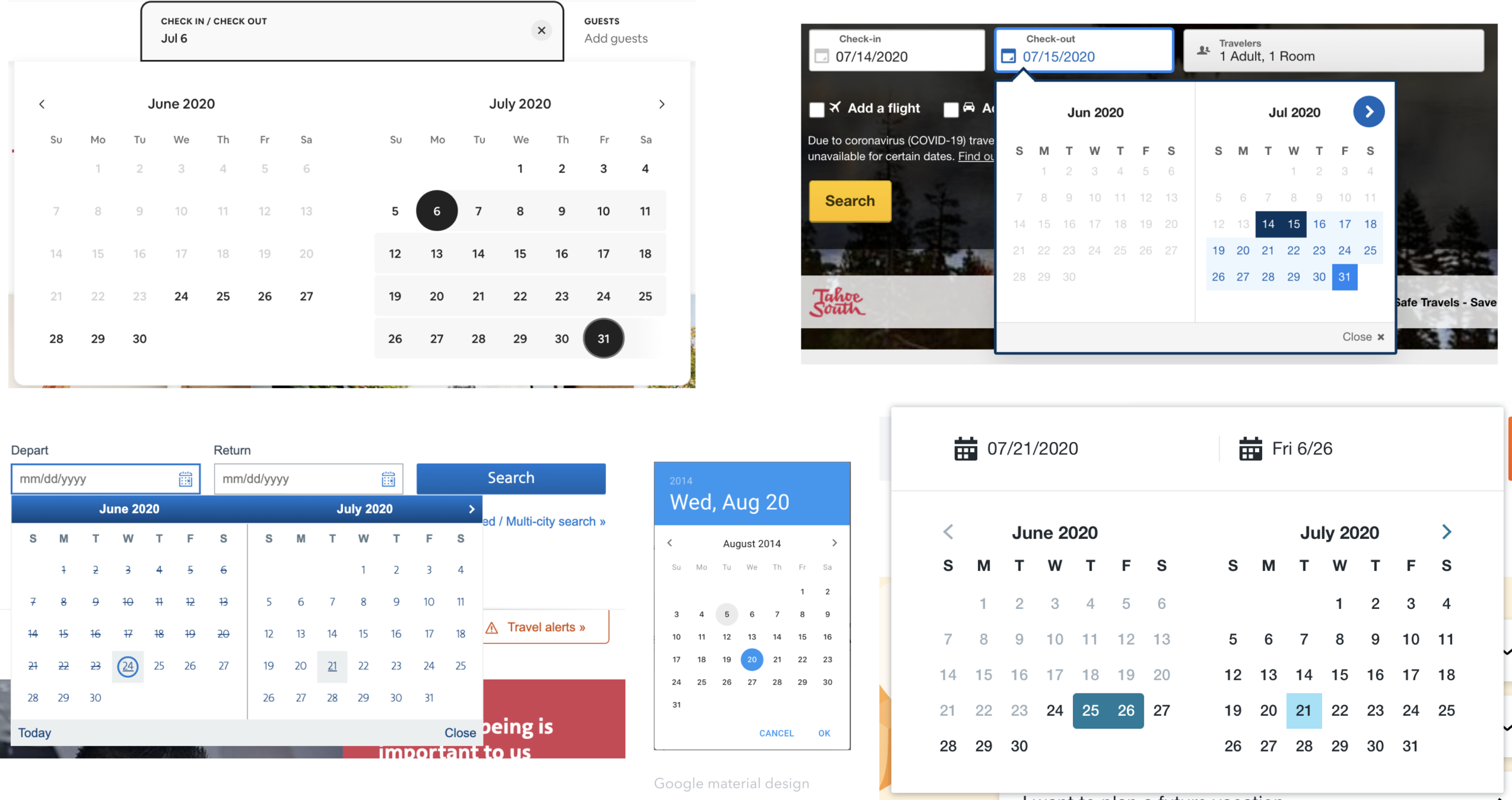
I did an audit of existing design of date picker/date range picker within and outside of our organization. Internally, I looked into different designs from other business units (products), and legacy component engineers originally built with the older design, and different variation from some teams that they tuned based on their specific needs. Externally, I looked at the other competitors’ component library and product.
Define
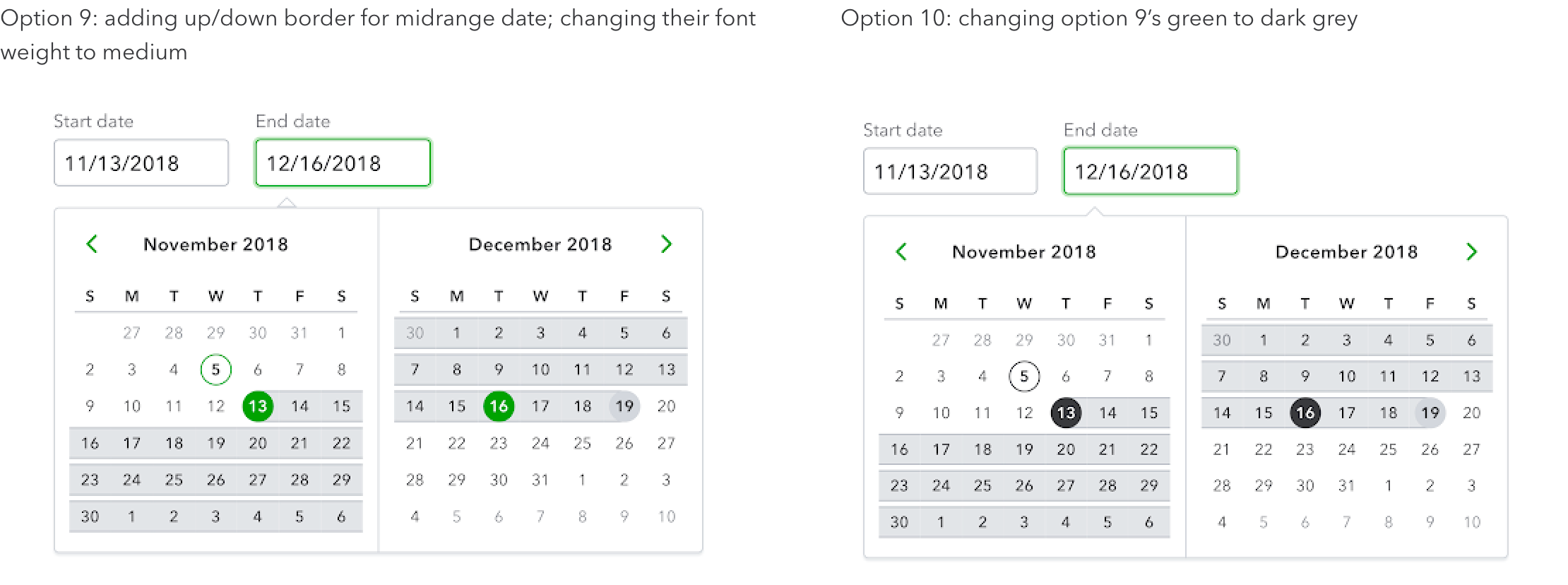
I did ~10 variations of design explorations
Align
I shared my early explorations with visual stakeholders and other product designers within the org to review the design, including different use cases, edge cases, accessibility requirement.
Refine
I narrowed down to 2-3 options based on community feedback, and eventually landed on the final design.
Deliver
Shared design with broader group, got approved from the org design stakeholders, and delivered to developers to build the component.
Current Design
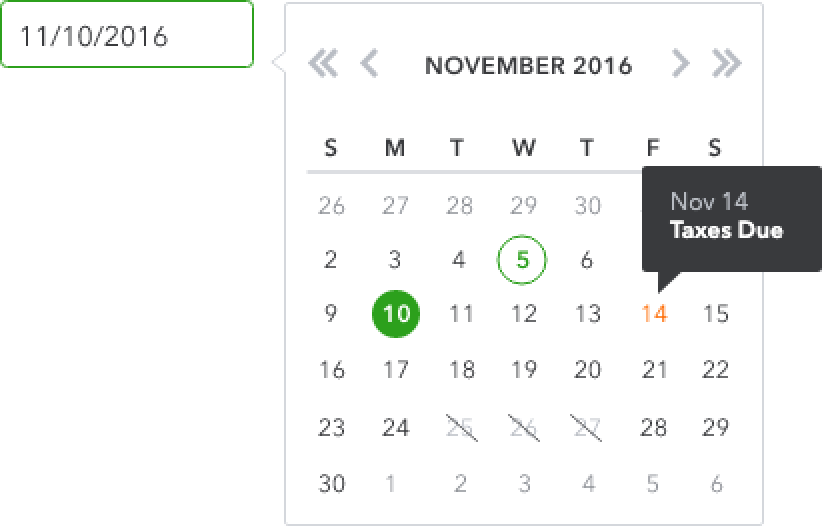
Date picker
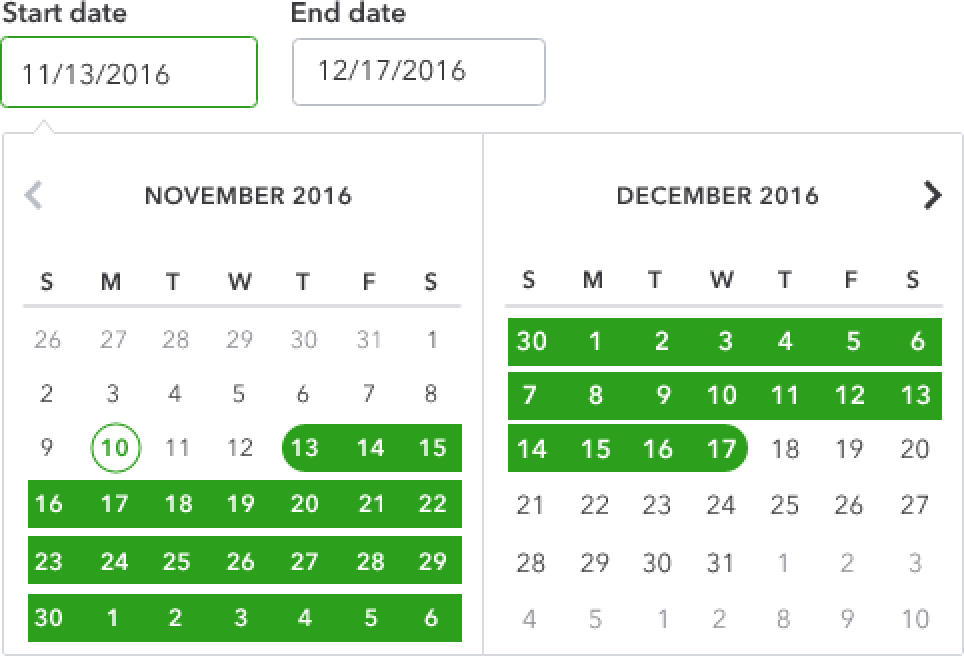
Date range picker
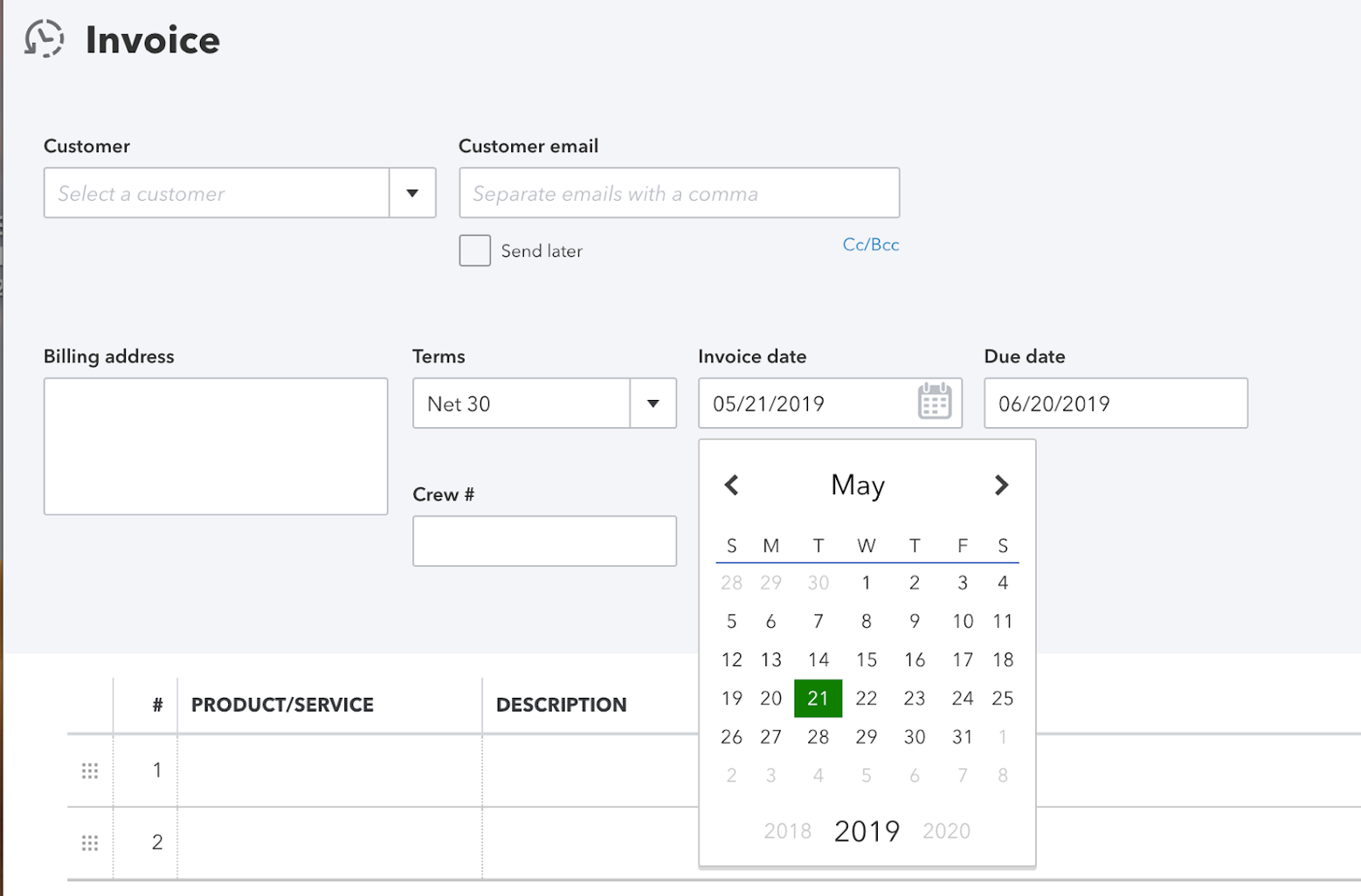
In-product example
(QuickBooks)
Competitive Analysis
Define
Goal: create a bolt themed date picker that follows QBDS brand and also IDS guideline
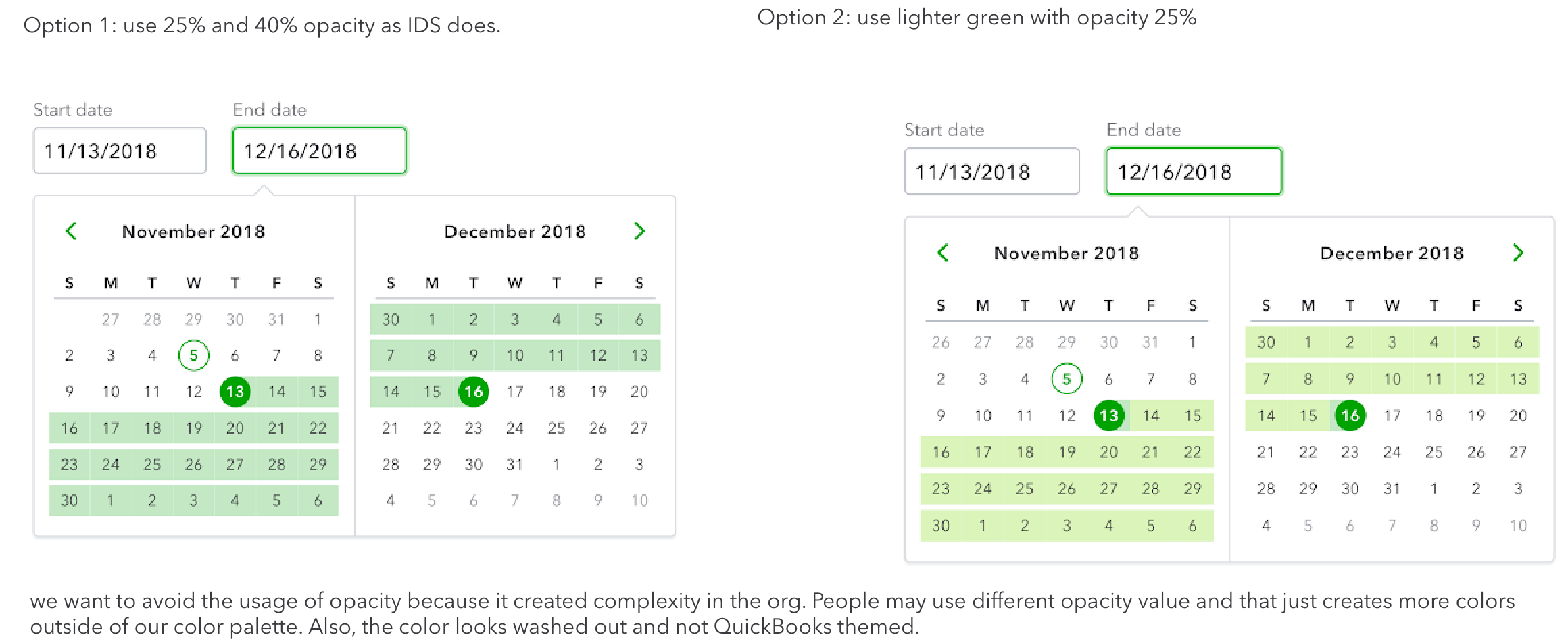
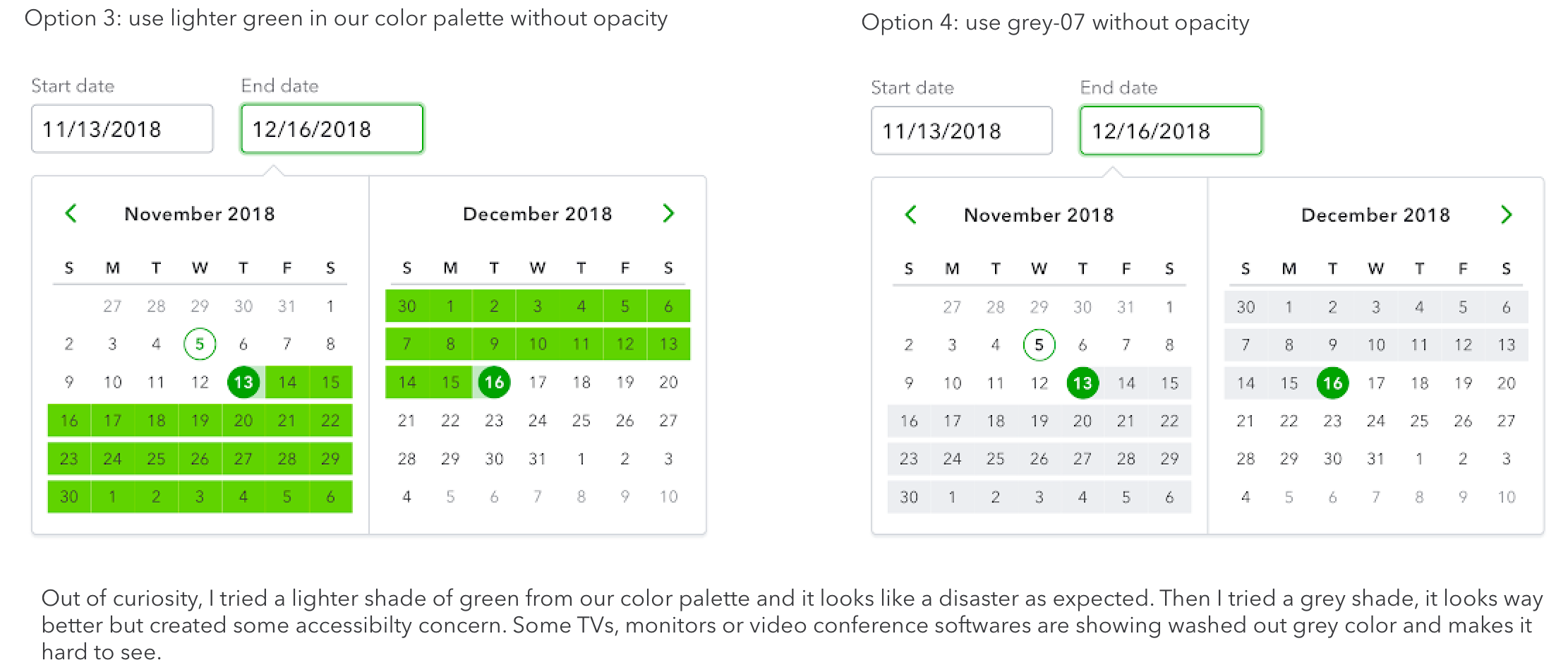
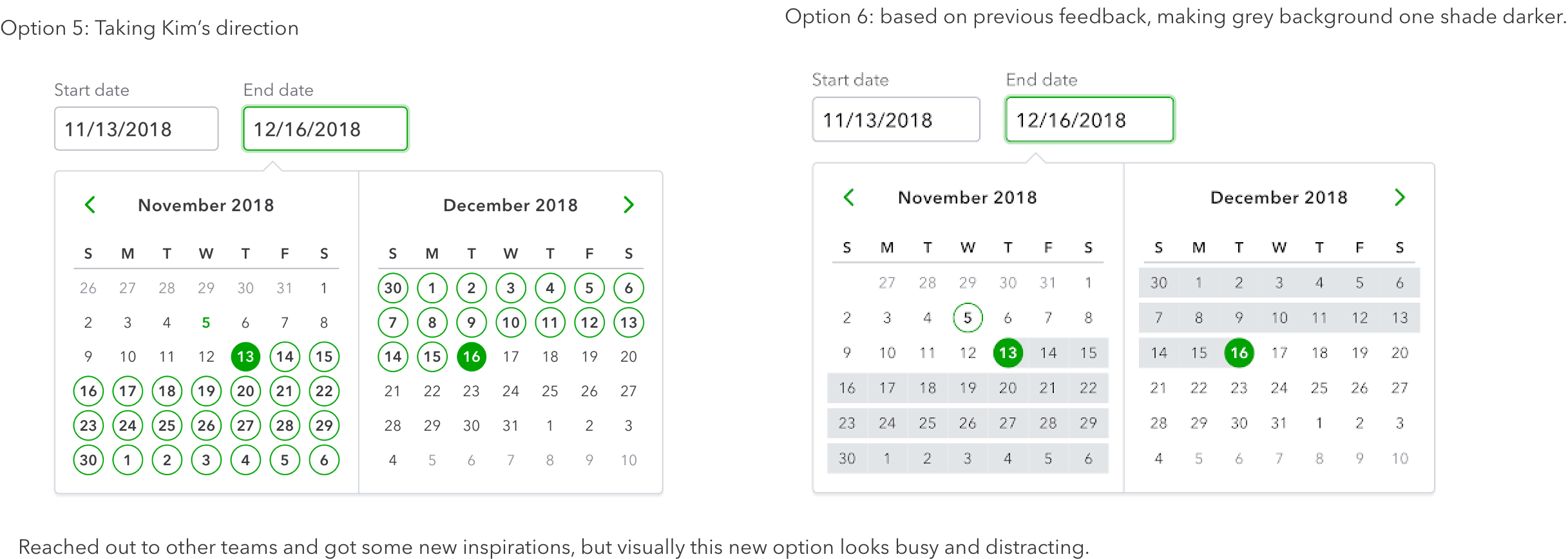
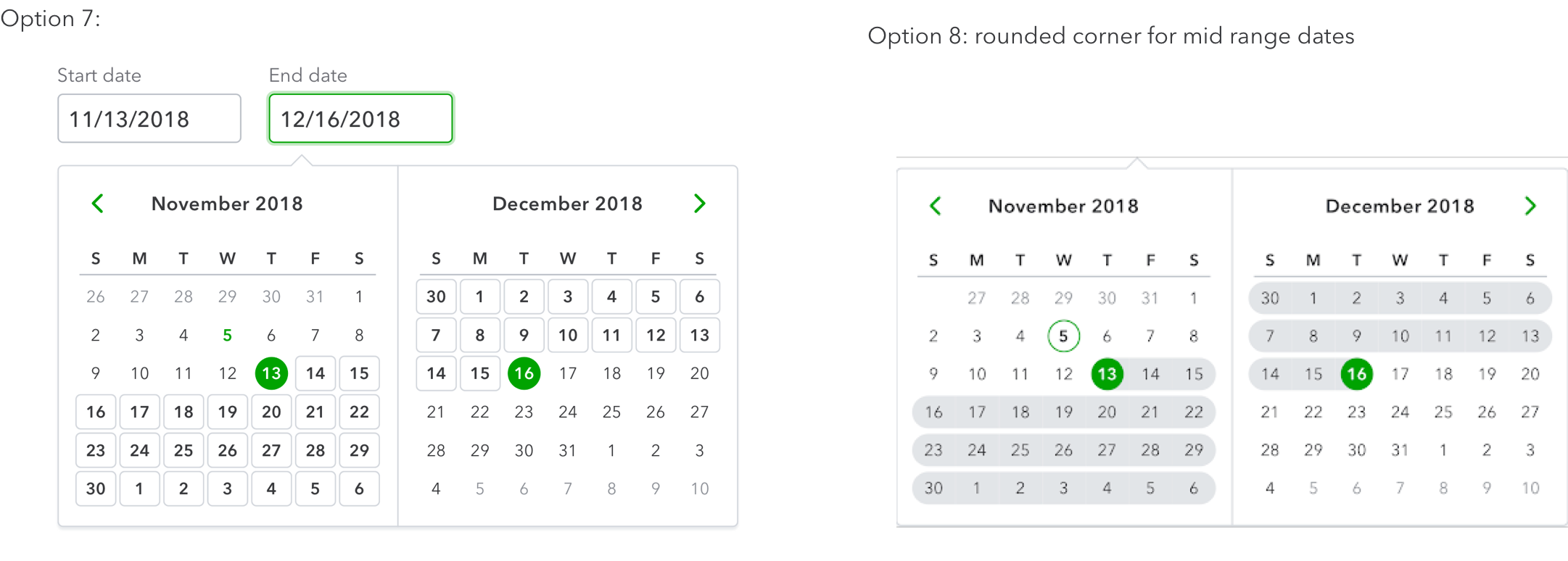
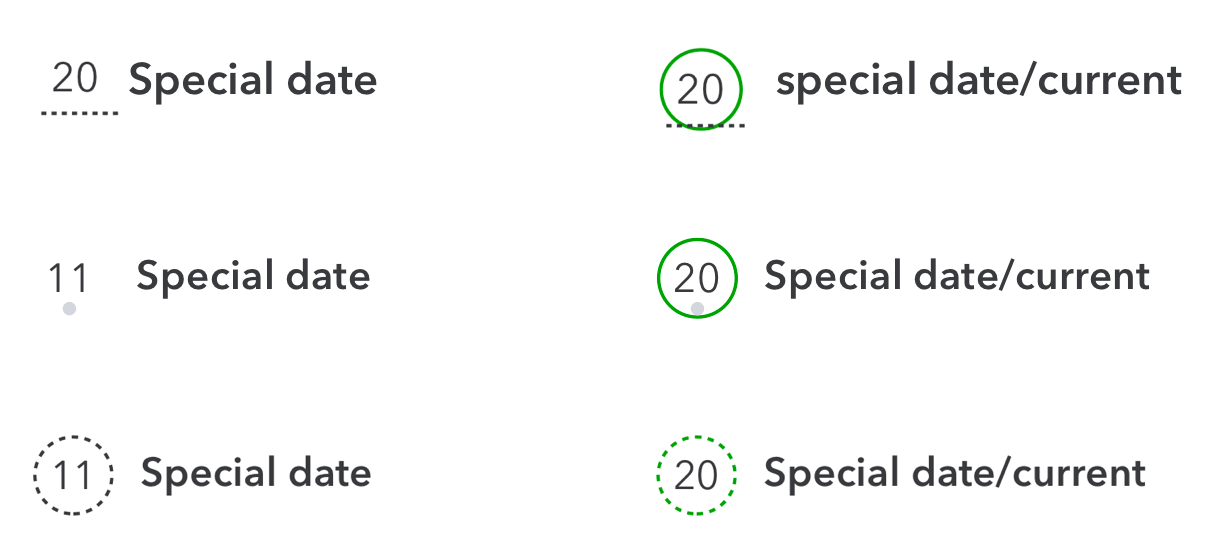
Also explored on special date as well as how special date will display as current date:
Refine
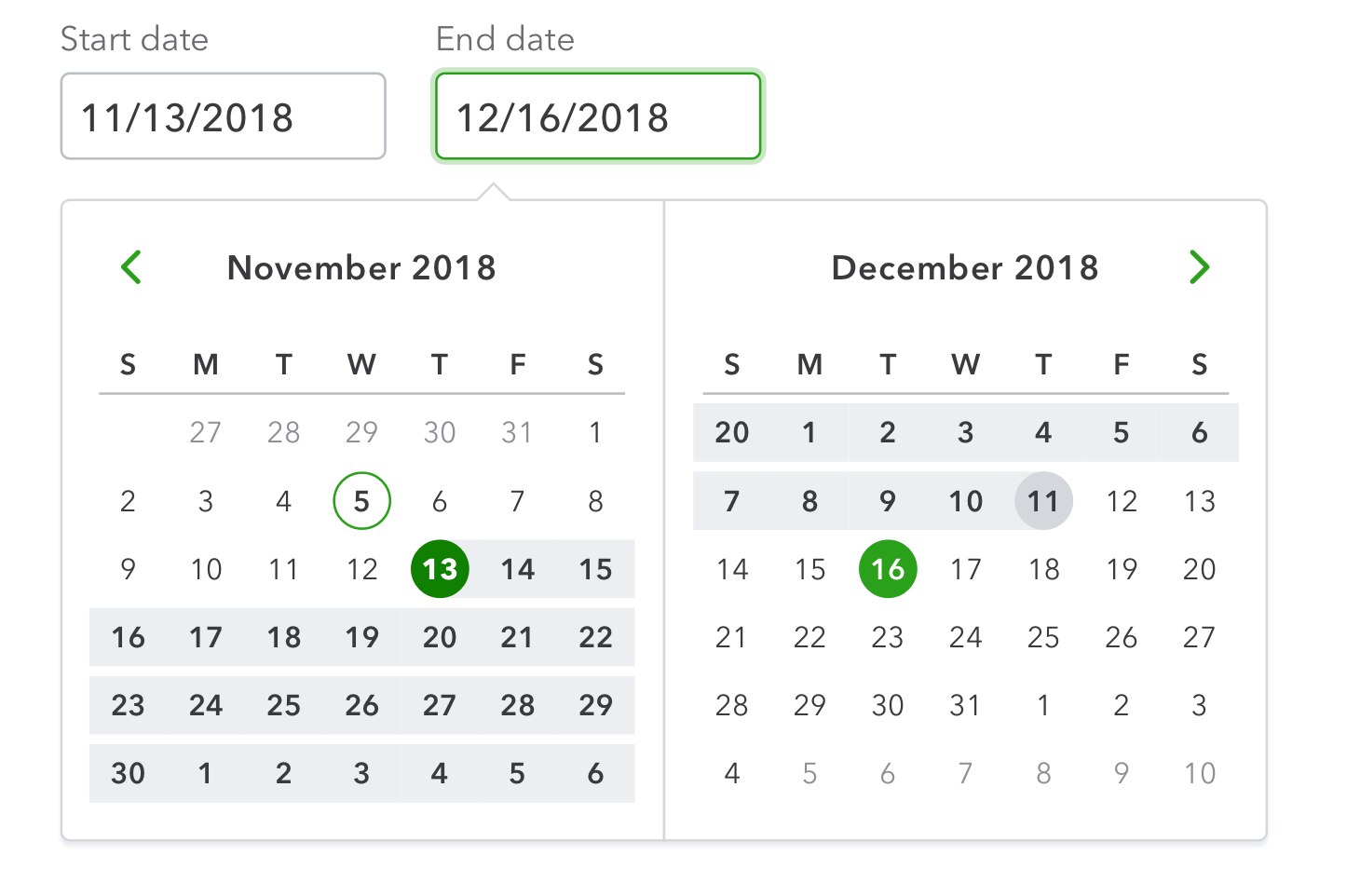
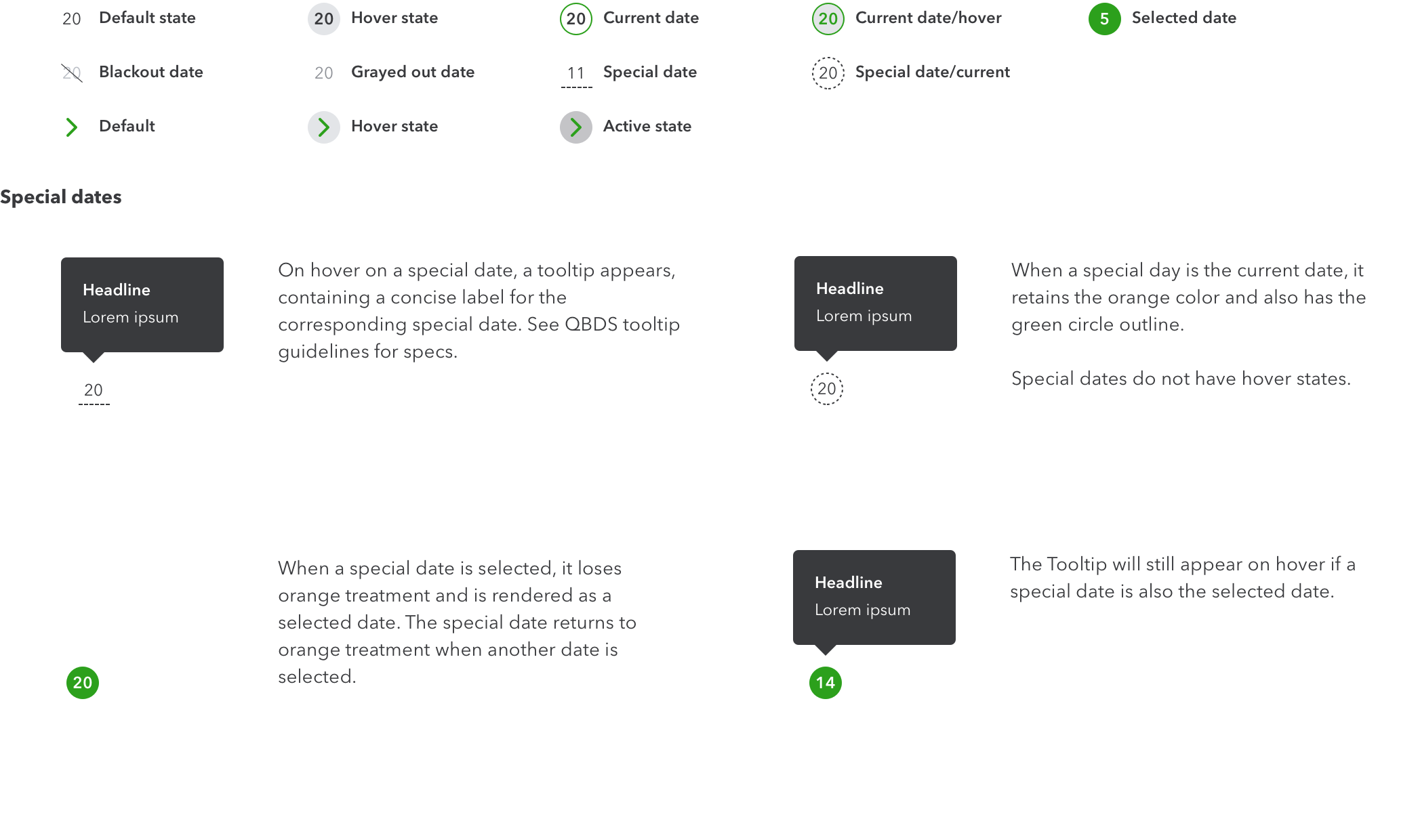
After rounds of design review and refinement, this is the version that got approved.
Deliver
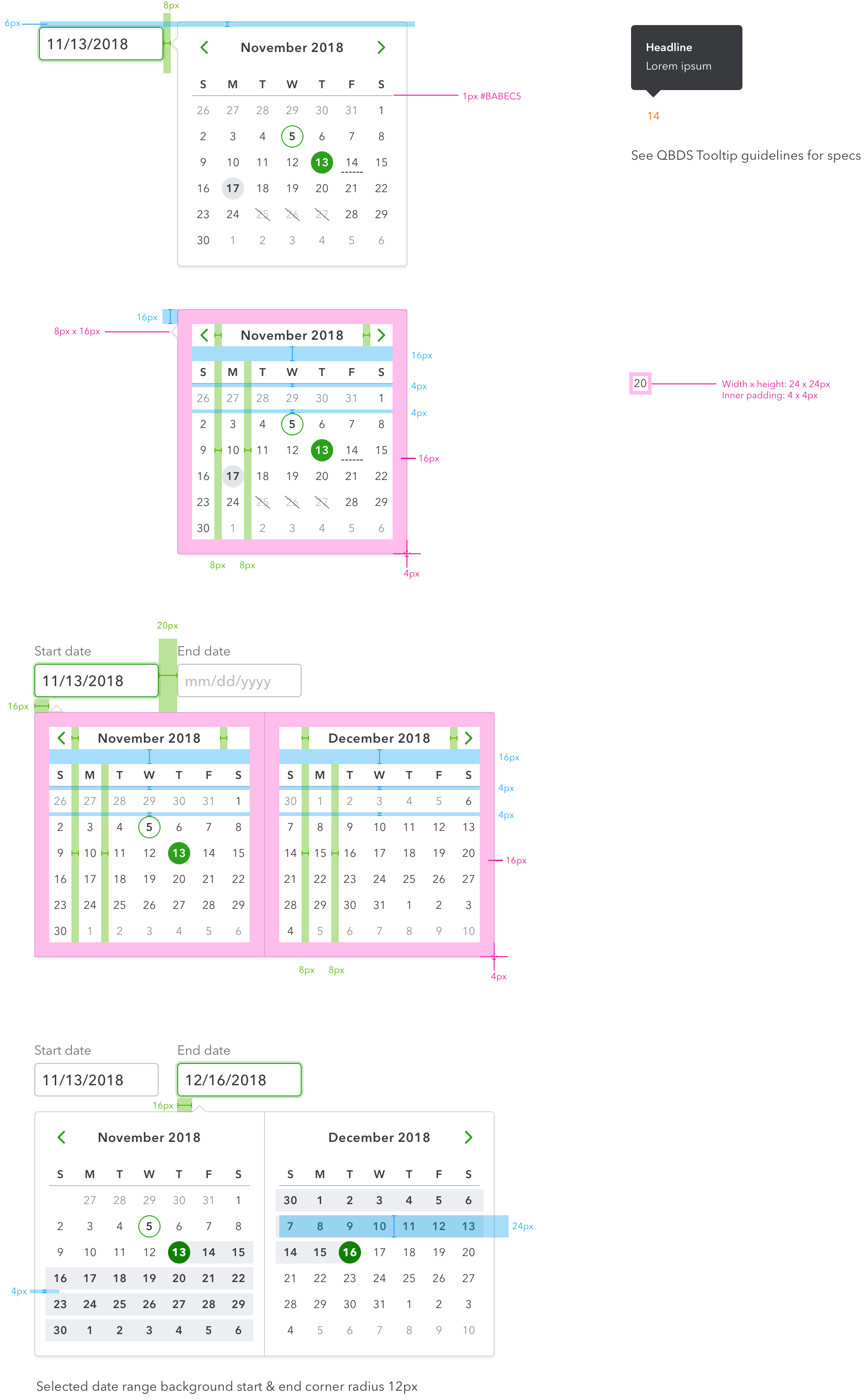
Content guideline
• Labels are sentence case. Example: Payday schedule
• Spell out the months.
• Days indicators are capitalized (S, M, T, etc.).
• In tooltips, abbreviate the months. Examples: Jan, Aug, Nov