
QuickBooks Online Accountant
Billing and Subscriptions
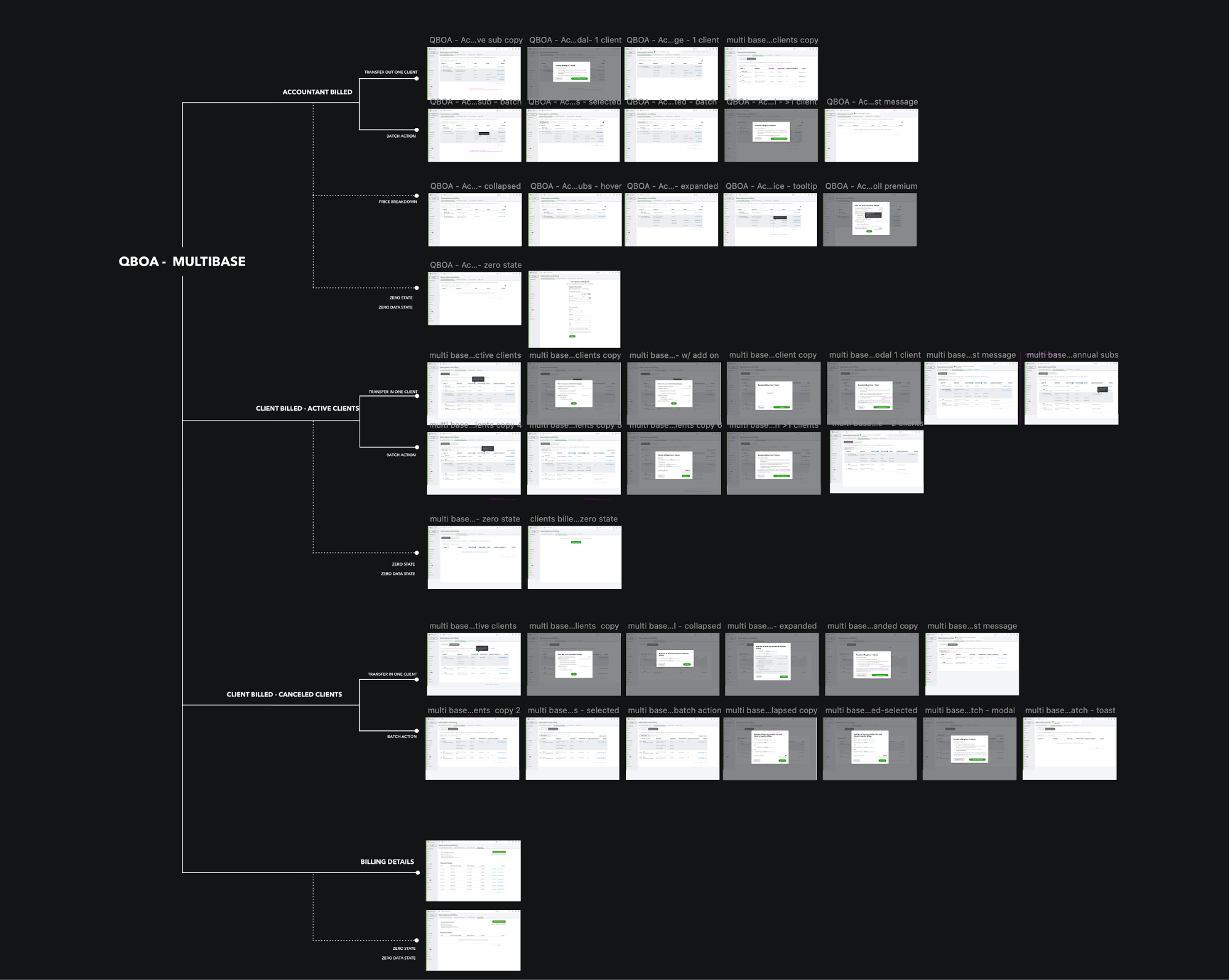
Project Overview
With the launch of add-on products on one bill platform (all subscriptions/charge showing on one bill), we are evolving QuickBooks Online Accountant (QBOA) to allow accountants to provision add-ons without starting with QuickBooks Online (QBO) accounting subscriptions.
The project has been delivered for implementation.
My Role
Design lead
- led the customer study
- led the interaction and visual design
- partnered with a content designer, 2 product managers, development team, finance team and legal team
Project Duration
4 months
Context
What is QBOA?
(QuickBooks Online Accountant)
QuickBooks Online Accountant (QBOA) is built to empower accountants and bookkeepers. It is a portal that accountants use to access client QuickBooks Online (QBO) companies, work in them, and communicate with clients. QBOA also comes with one free company that the accountant can use to track her own business.
Why redesign?
With the launch of payroll and Tsheet (add-ons) on one bill platform (all subscriptions/charge will show on one bill each month), we are evolving QBOA to allow accountants to provision add-ons without having to start with QBO accounting subscriptions.
Customer Persona
In order of priority
Accounting professionals
Accounting professionals using TSheets Pro
National account agents, who often perform account maintenance on behalf of large accountants. (1% of customers)
Project overview
Strategy
Change subscription model: make add-on product as standalone.
User goal
Make it easier for accountants to sell individual products to their clients
increase in # and $ of subscriptions
270k accountants & 1 million users
Business goal
Increase in channel sales
Reduced call volume
Improved product experience
TOP 3 Challenges
1
Refining requirements
2
Cross-functional collaboration
3
Handle complicated info and tasks in UI
Challenge 1: Refining requirements
1. Evaluate requirements
The initial requirements I received lead to conflicting flows, inconsistent experiences, and way too complicated for users to learn.
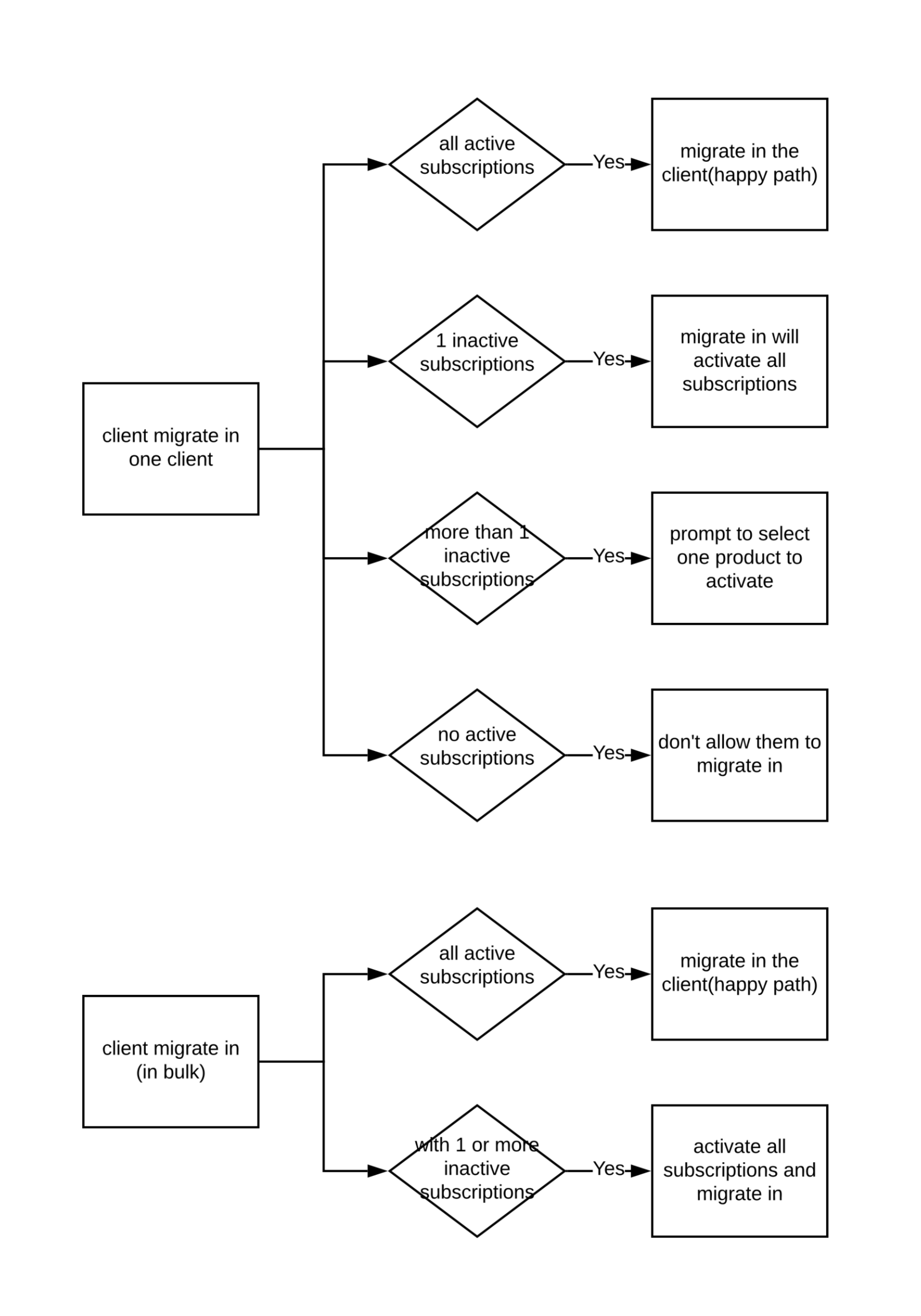
2. Refine user cases
So I removed conflicting use case, changed the product logic, consolidate the rest. After rounds of negotiation, we had more refined use cases.
3. Prototyping
based on the new use cases and requirements, I was able to build prototypes with some early concepts.
4. Validate design
I validated new concept with customers (user testing).
Challenge 2: Cross functional team collaboration
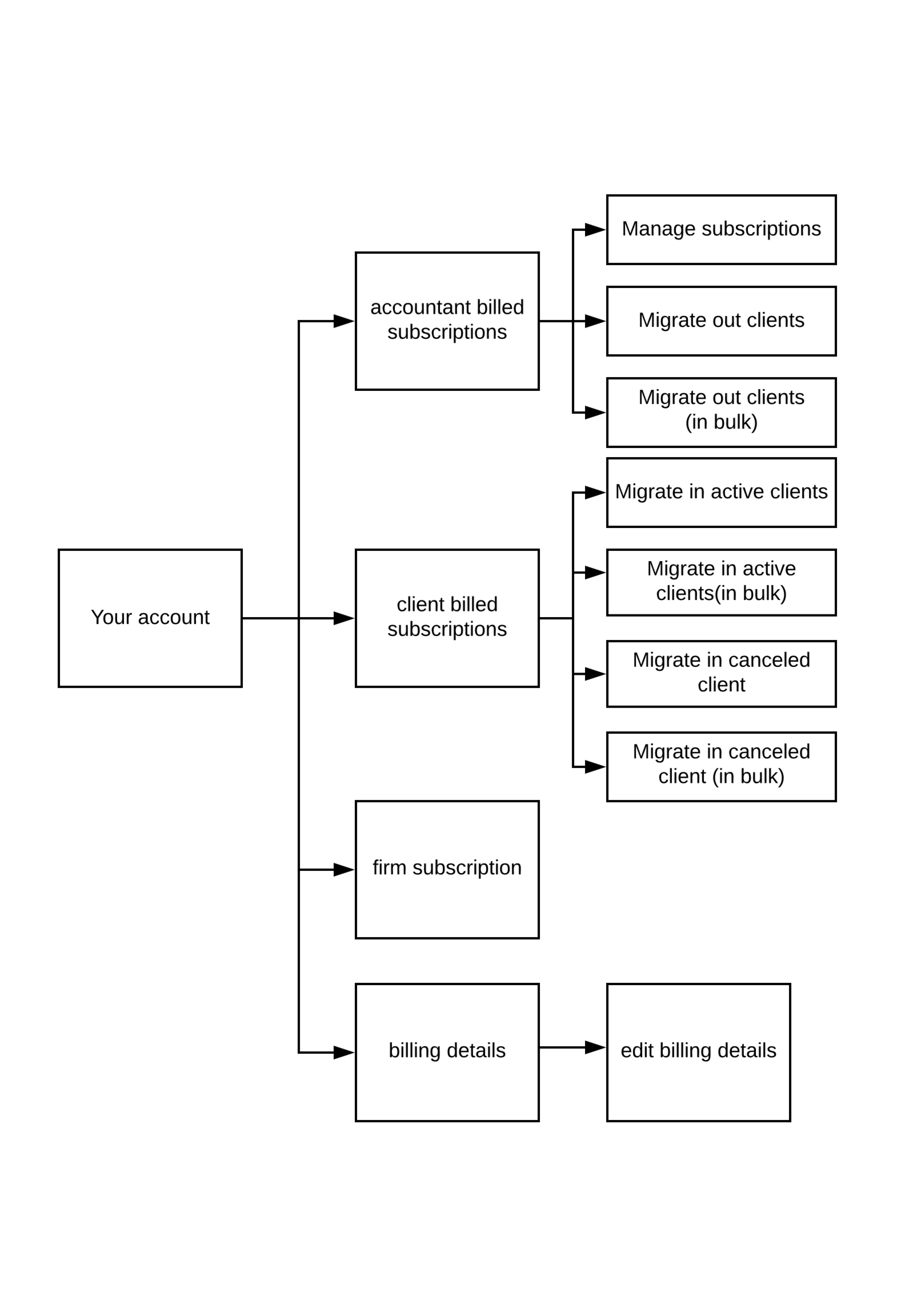
1. New information Architecture
New AI got hard pushback from QBOA product team.

Before

After
2. Walkthru with the broader team
In order to get support for the new design, I partnered with PM to walkthru the use cases and share the customer research process and learning
3. Validate with customers
I did another round of user research/user testing to further validate my design and allow my stakeholders to ask their questions as well.

Challenge 3: Handle complicated information and tasks in UI
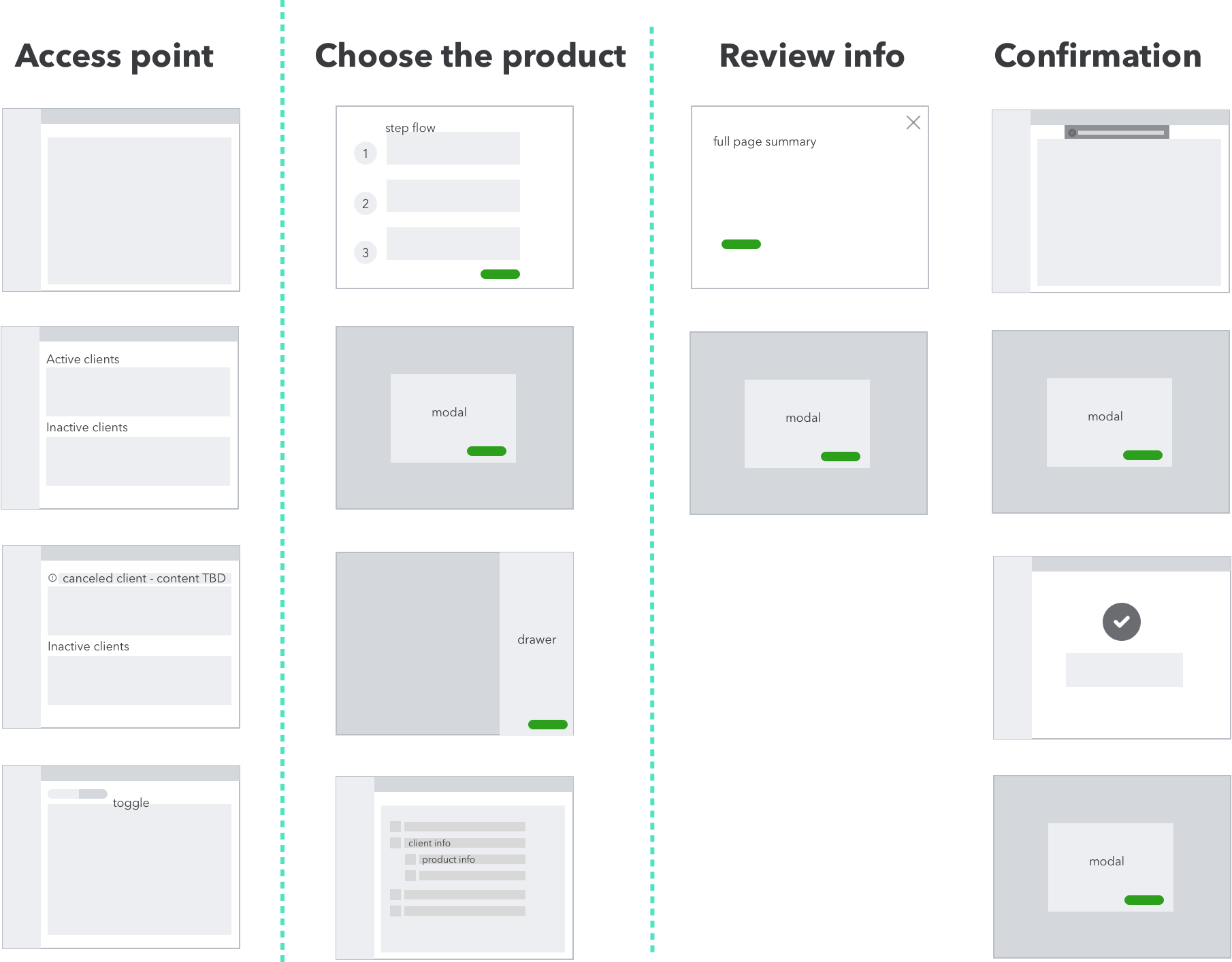
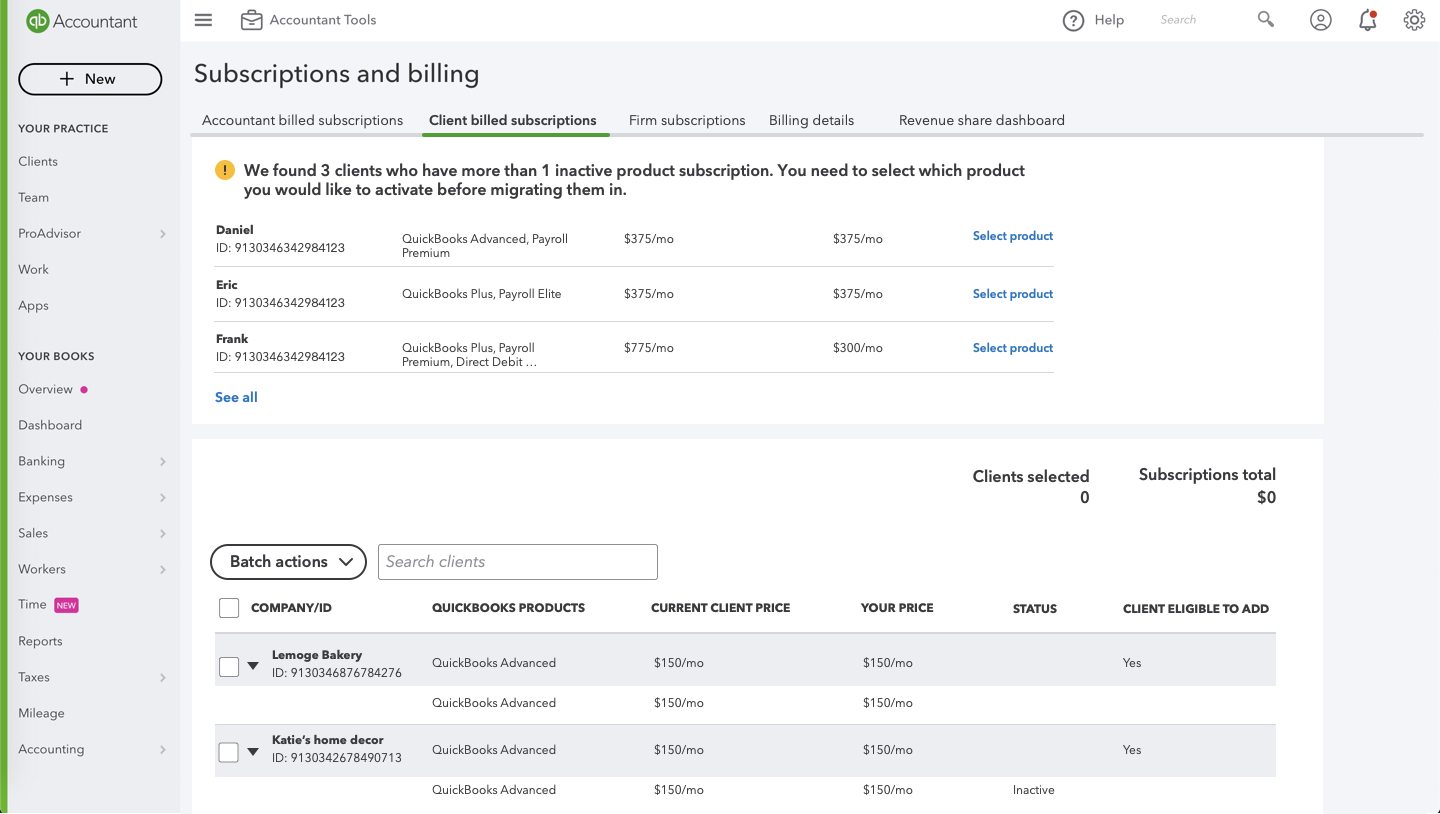
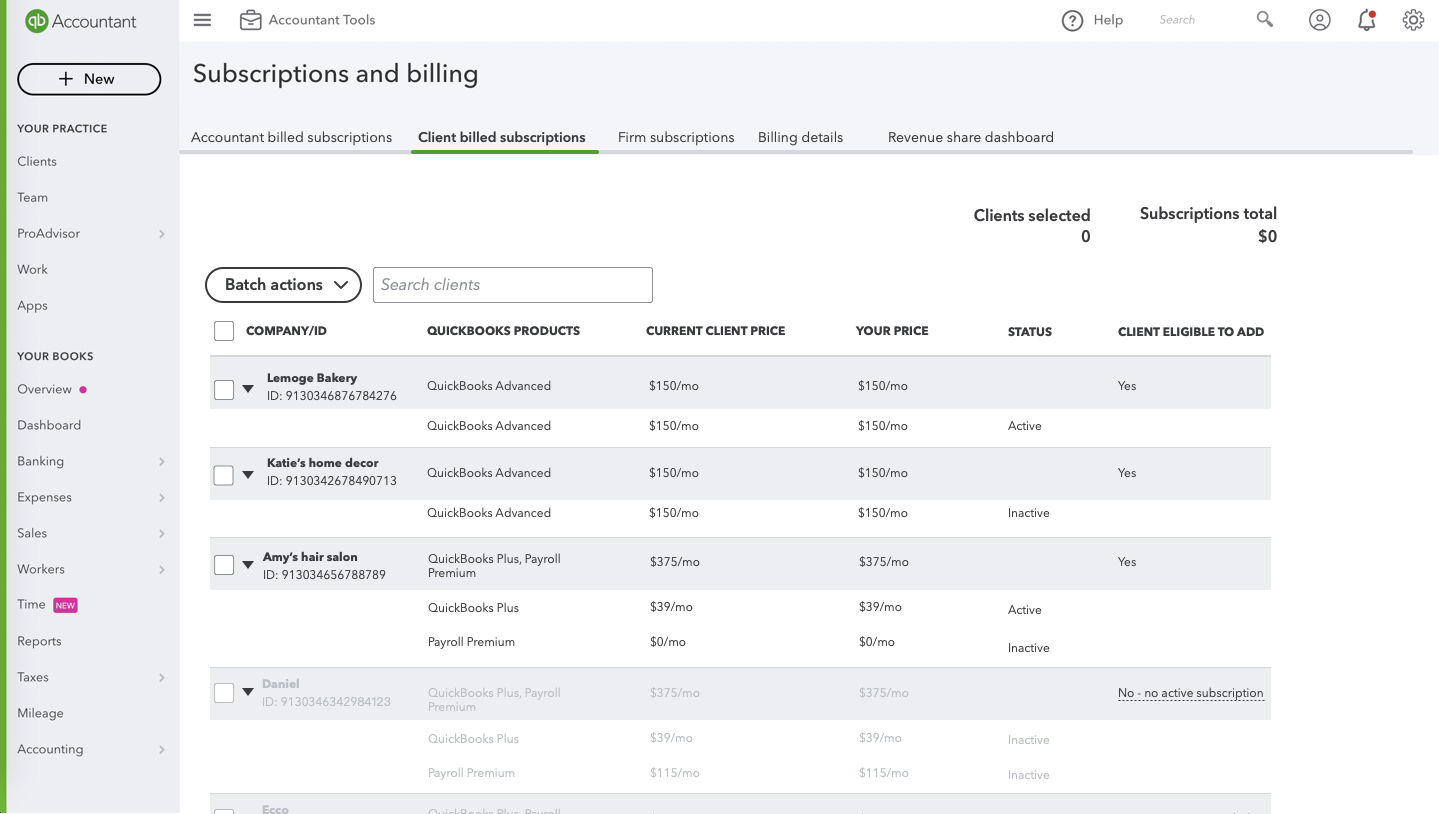
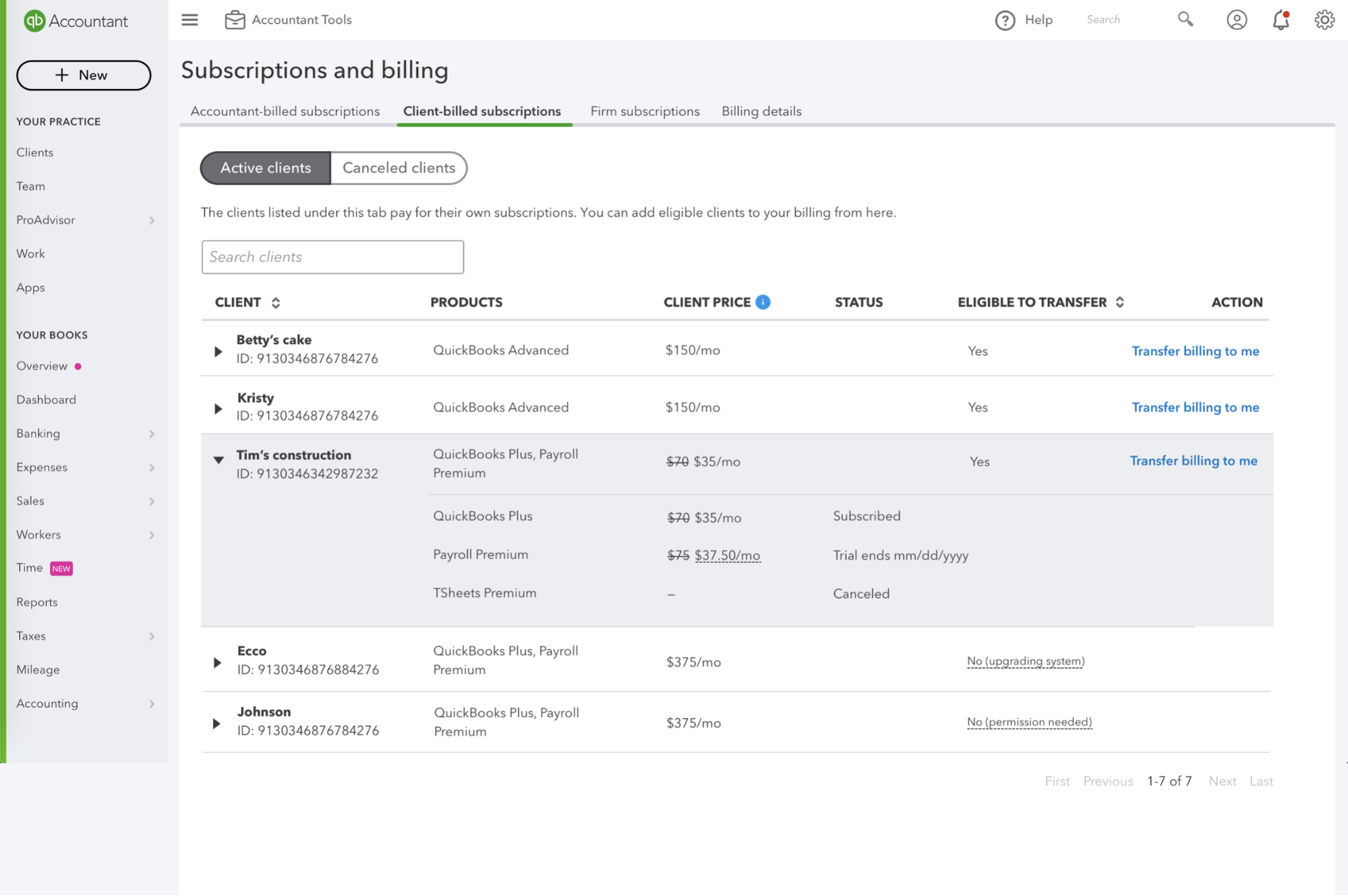
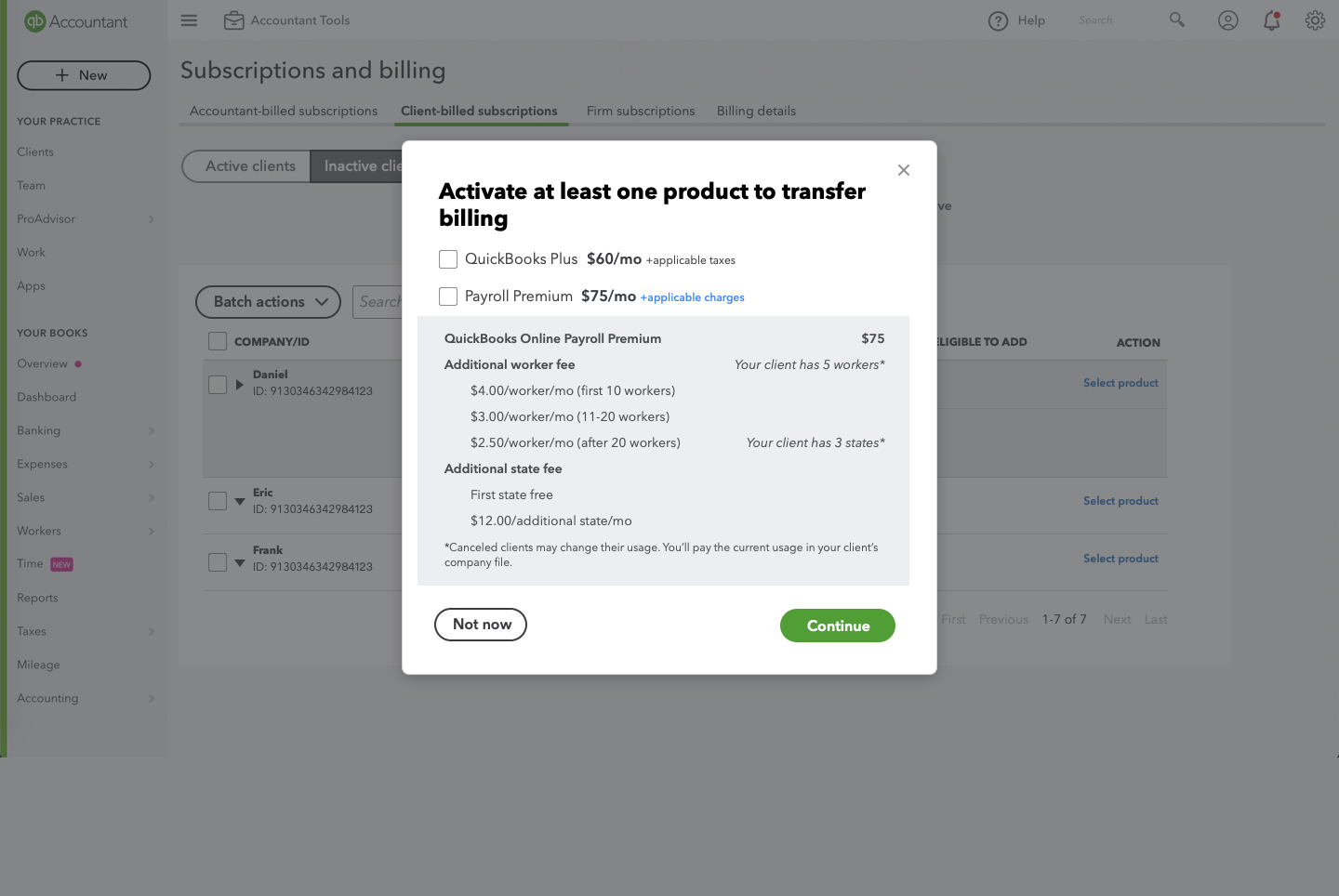
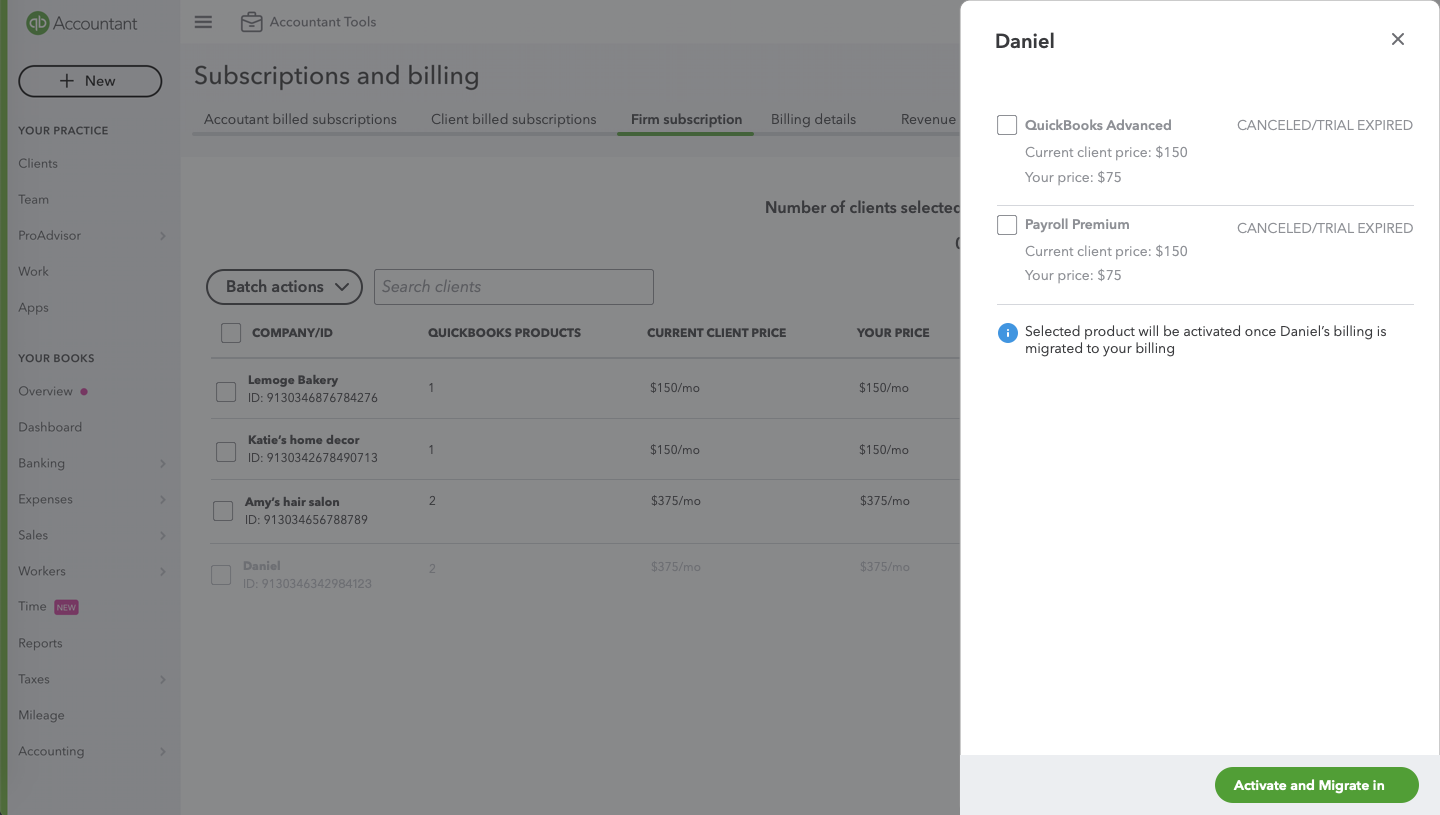
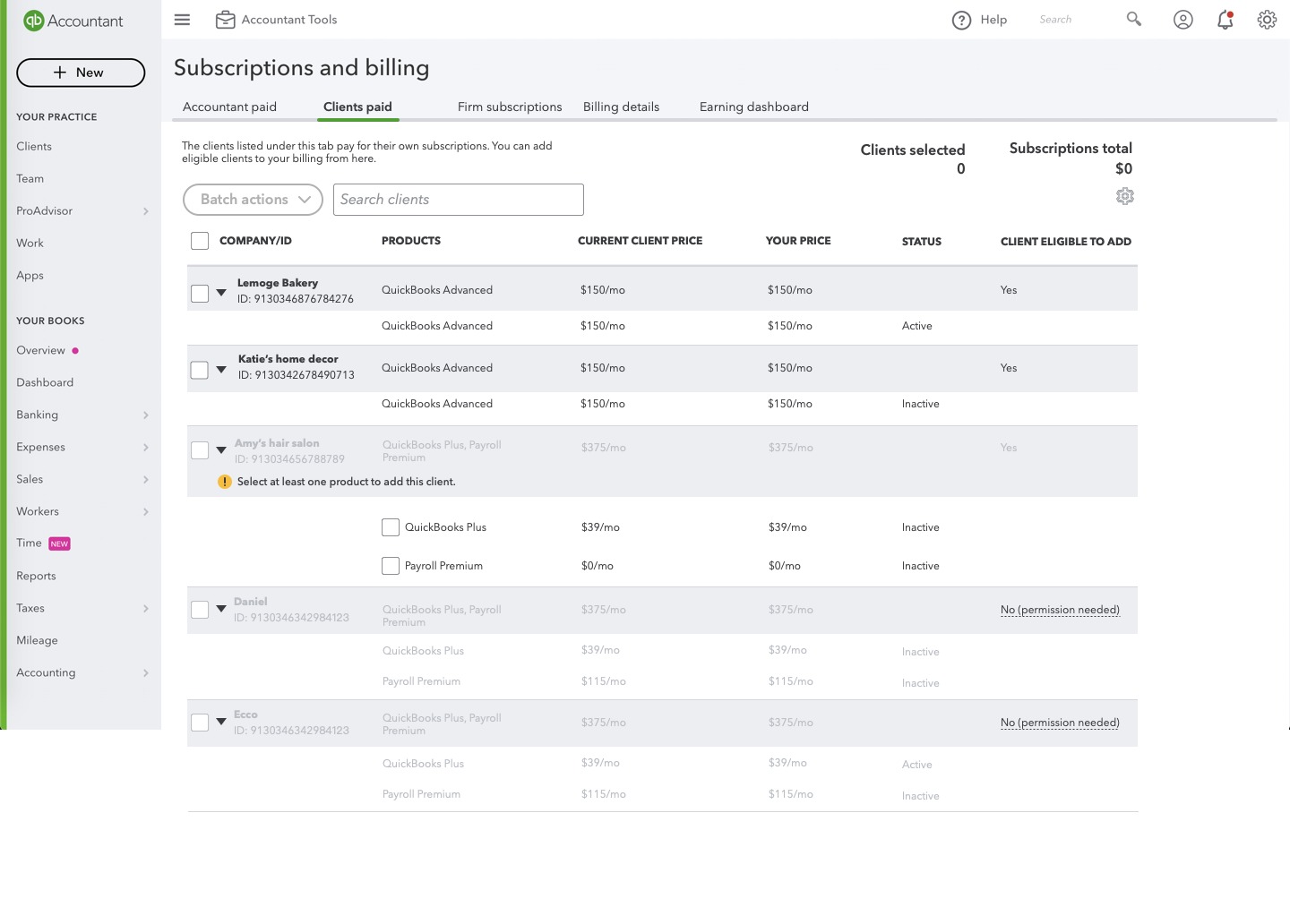
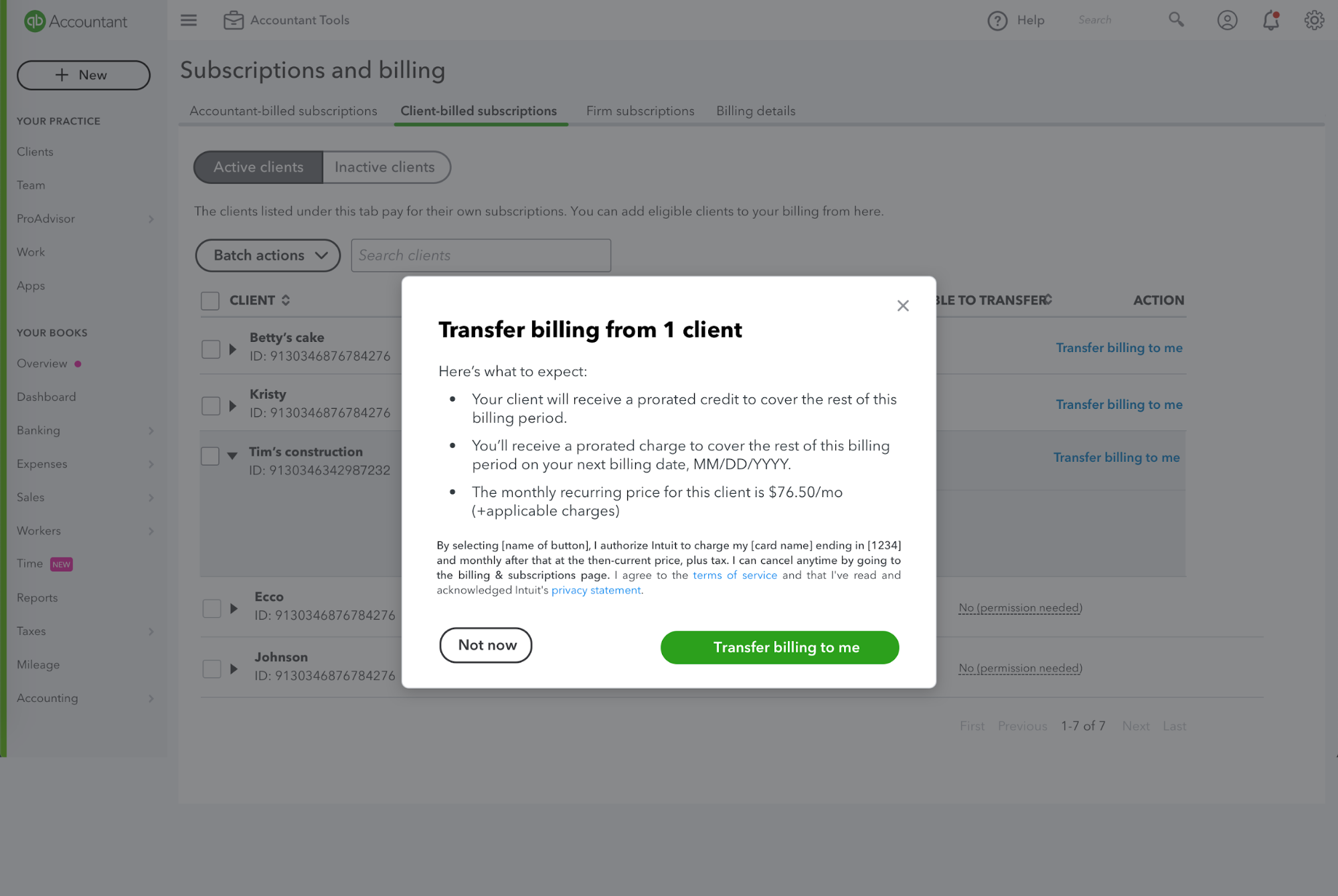
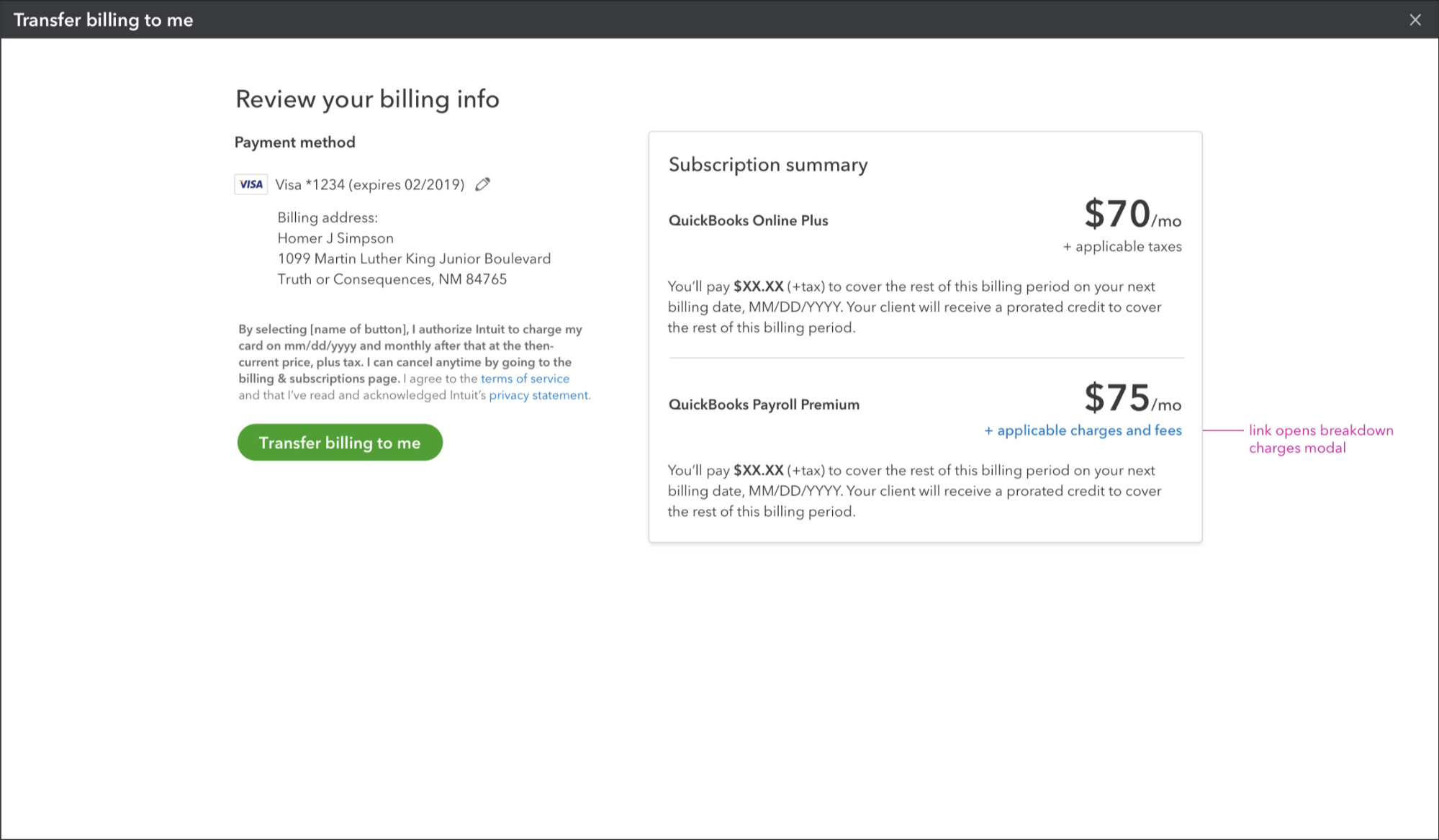
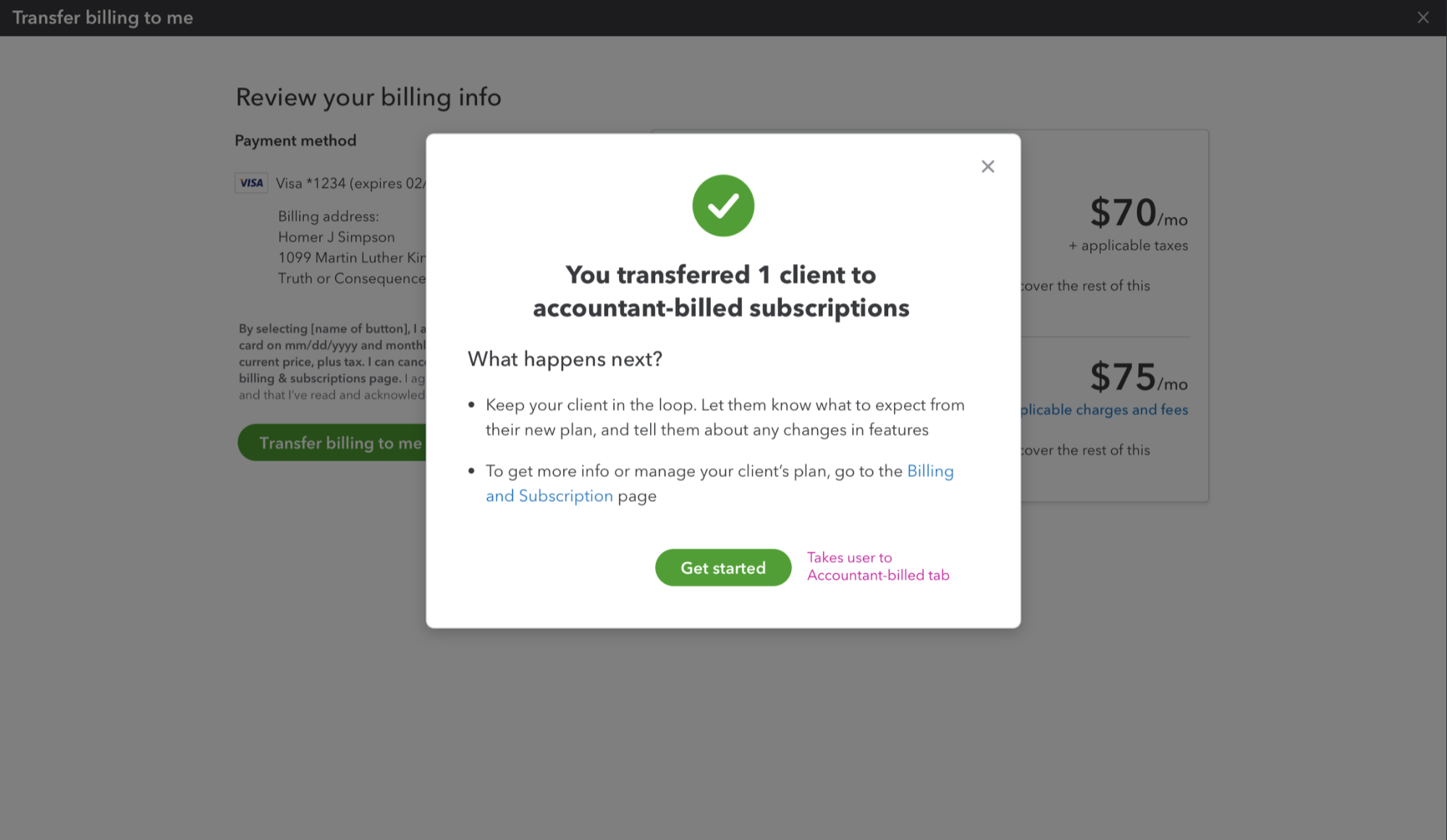
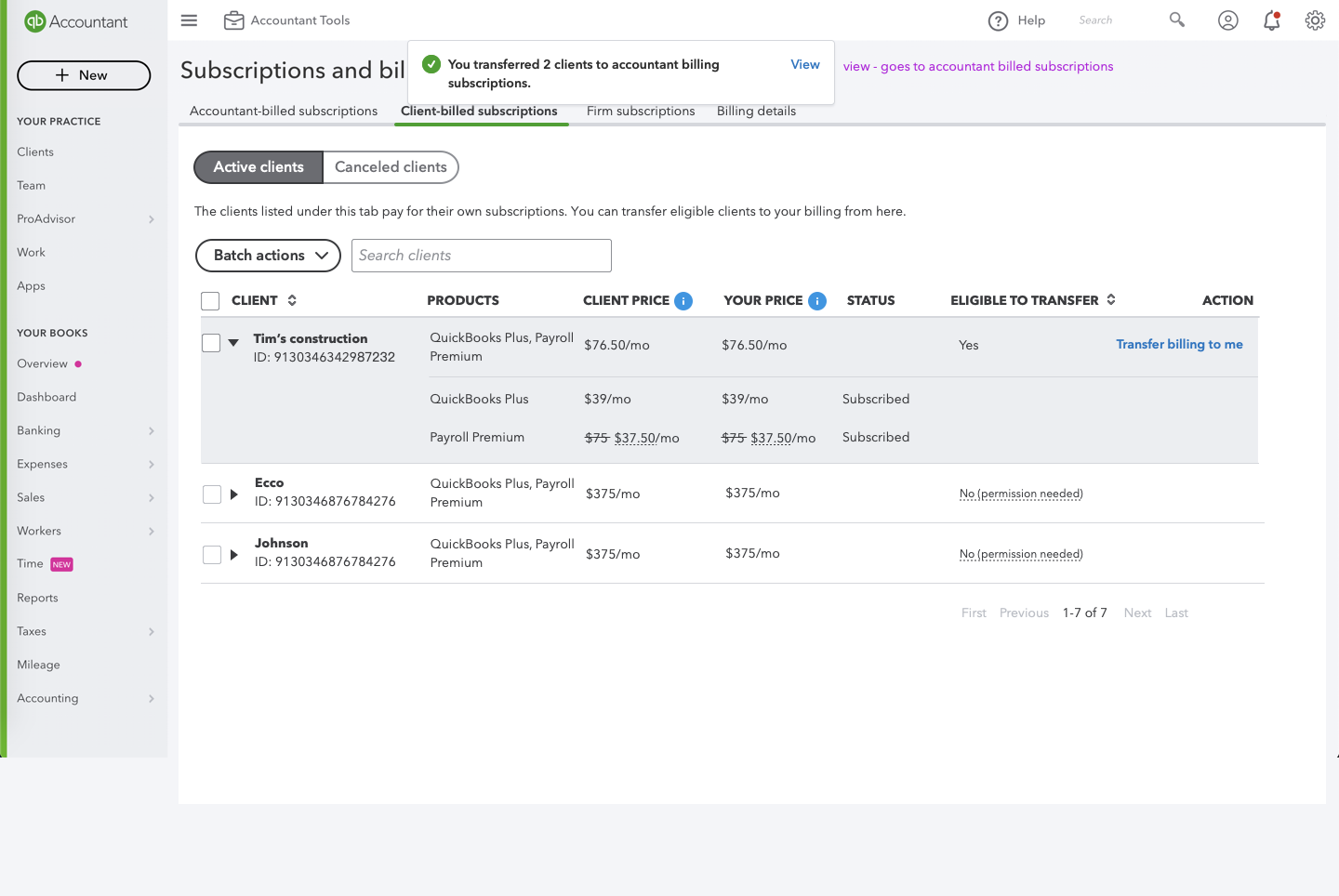
Take one of the flows as an example here: Migrate in inactive clients
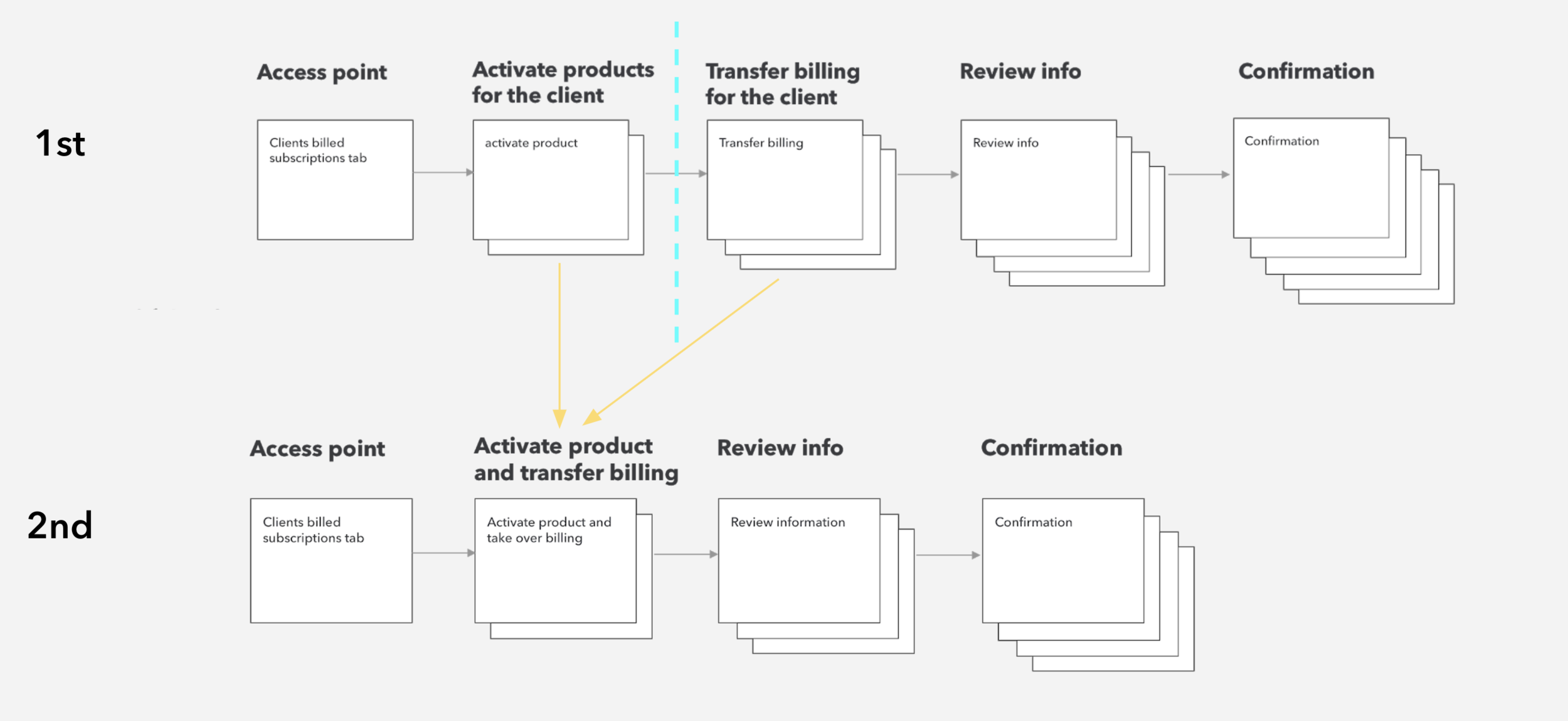
First design concept has major flaws
Ideation of different design for each step
Step 1:
Access point
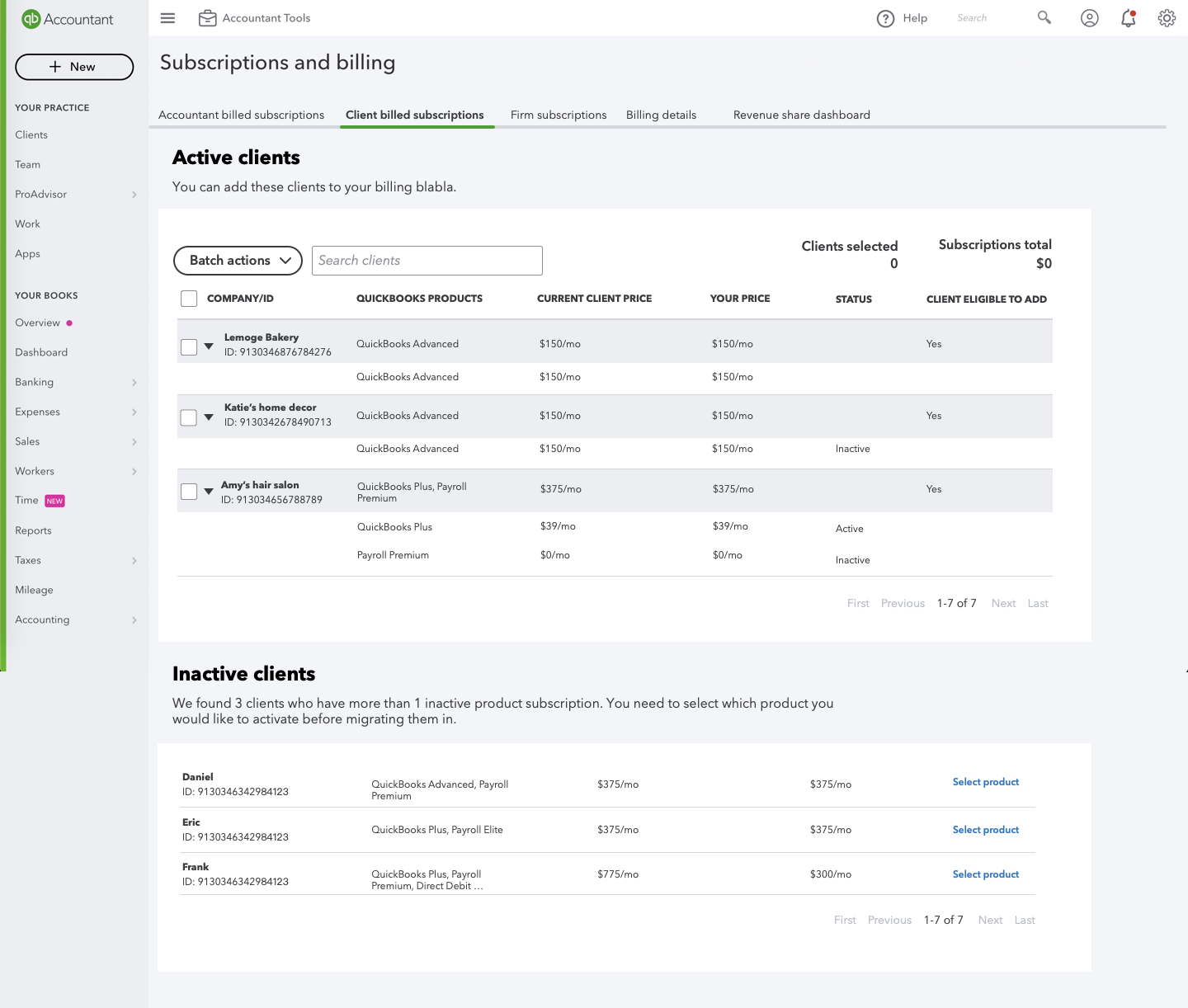
Step 2:
Choose clients& product
Step 3:
Review information
Step 4:
Confirmation
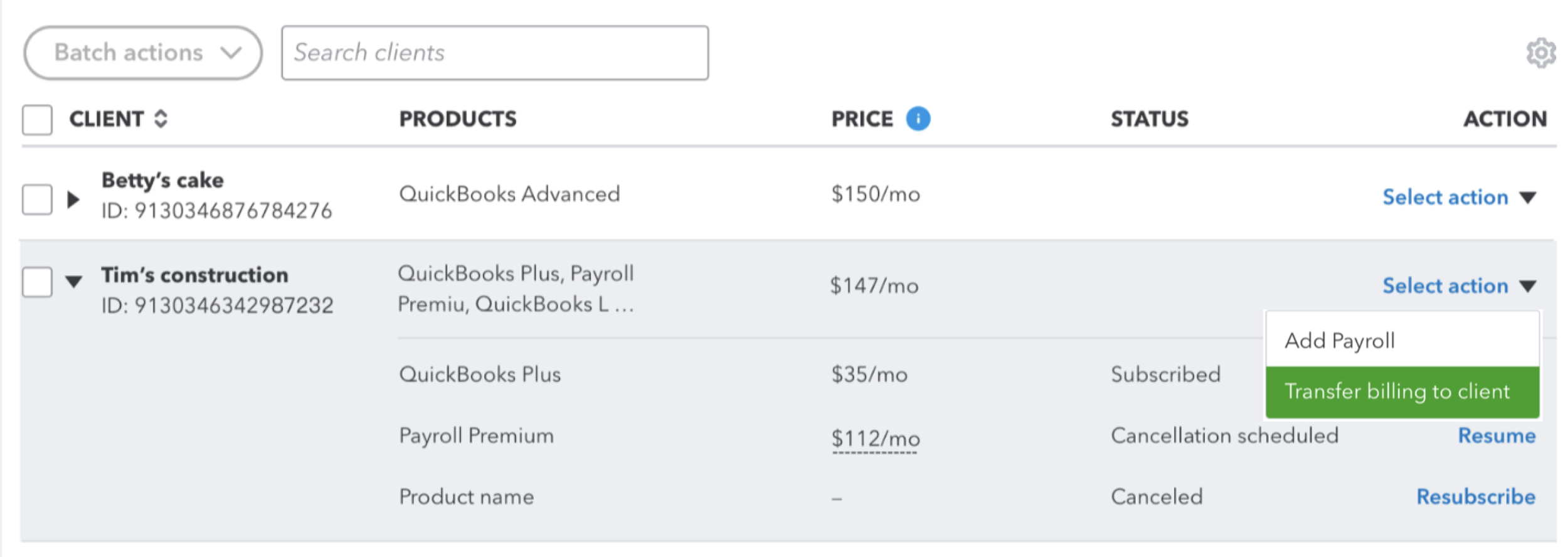
Restructured table layout
Before:
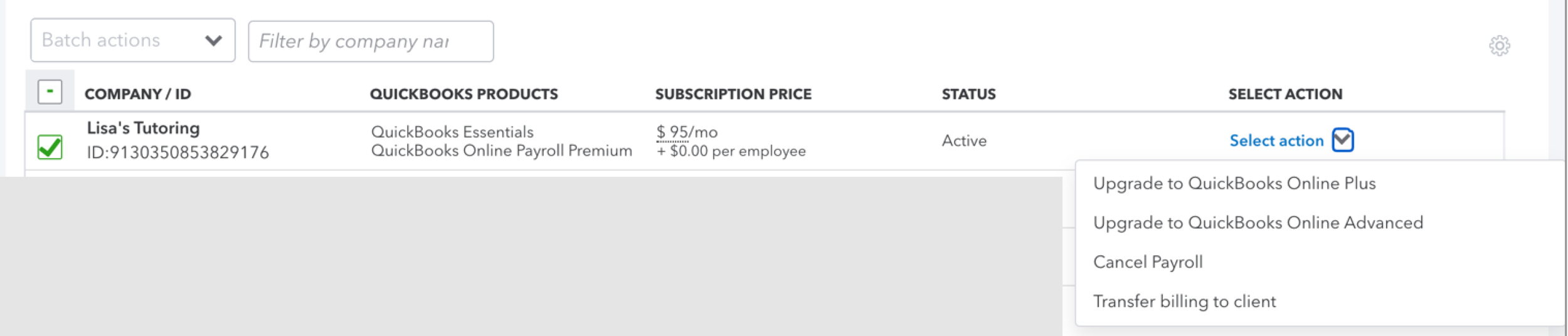
After:
Accessibility
Take price display as an example:
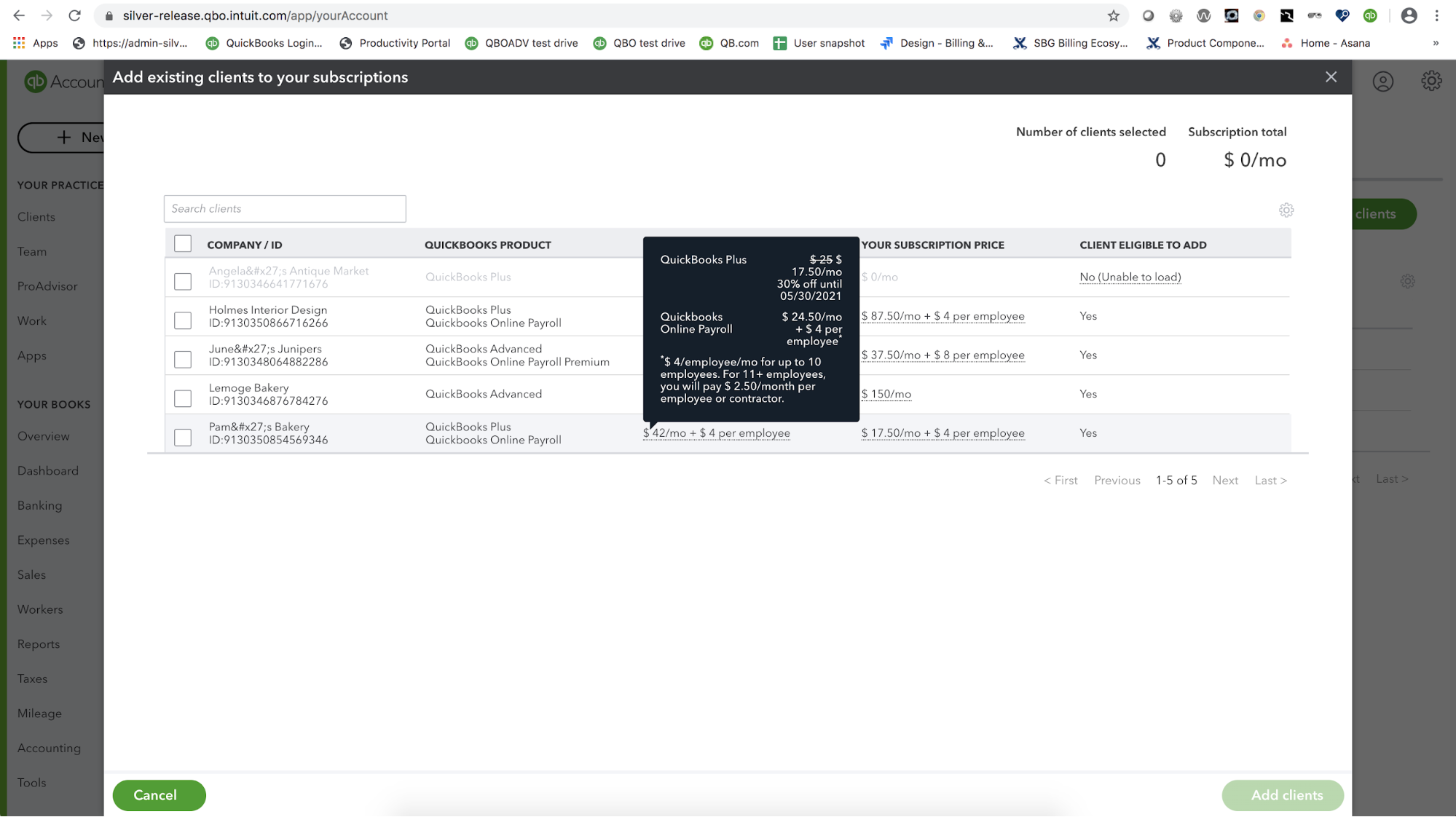
The original design is a tooltip, you can hover on the price to see the breakdown. but during user interview, half of them didn’t like it. they said this doesn’t allow them to take screenshots. 😲
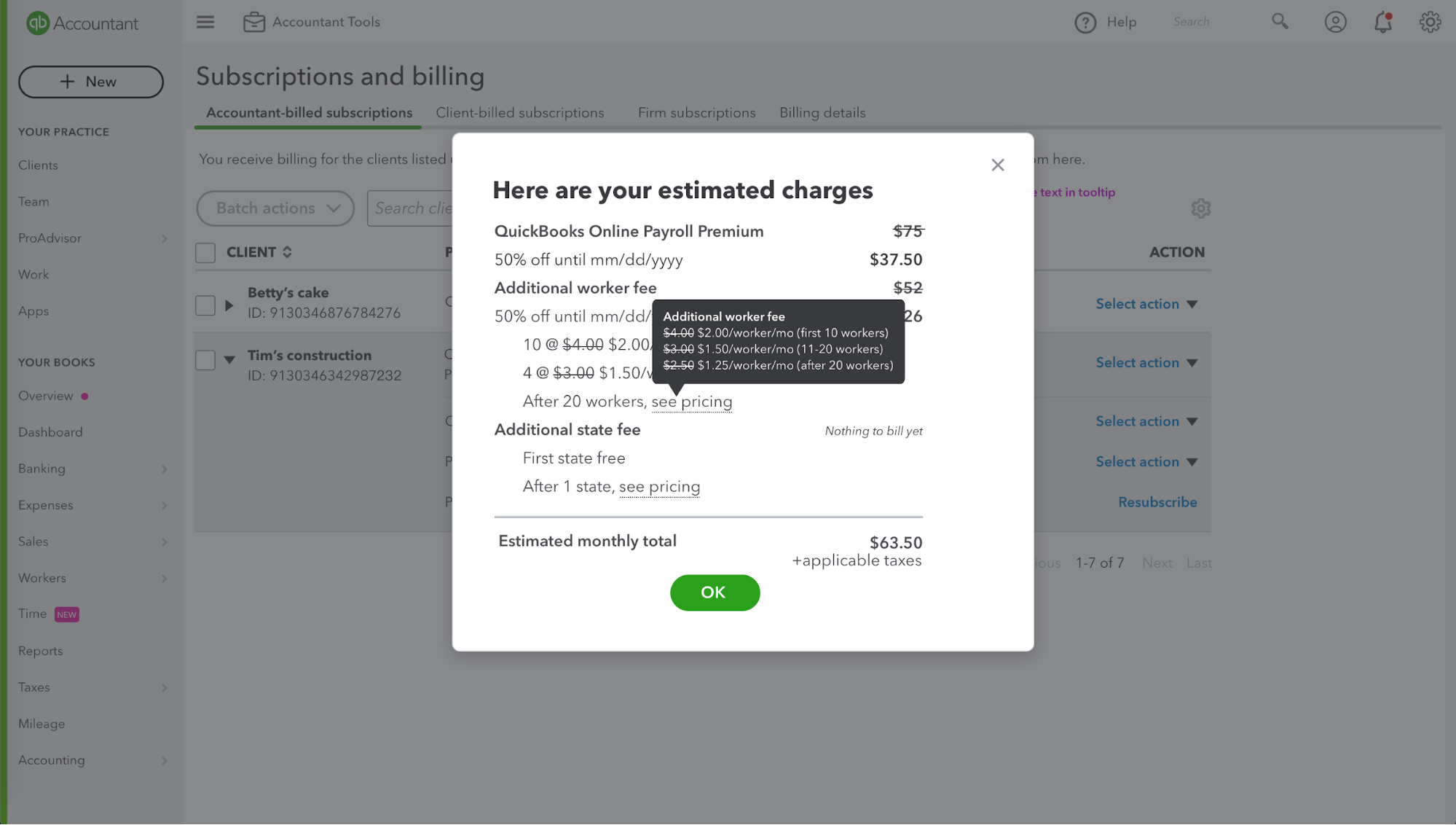
so I designed v2 - a modal pop up you click open. Almost all customers prefer this option. This design also solves some accessibility issue the tooltip option has (screen reader).
I eventually made this a standardized pattern in billing design system to use for all pricing breakdown display.
v1 - tooltip in table
v2 - modal
Validate design with customers
2 rounds of customer interview/user testing
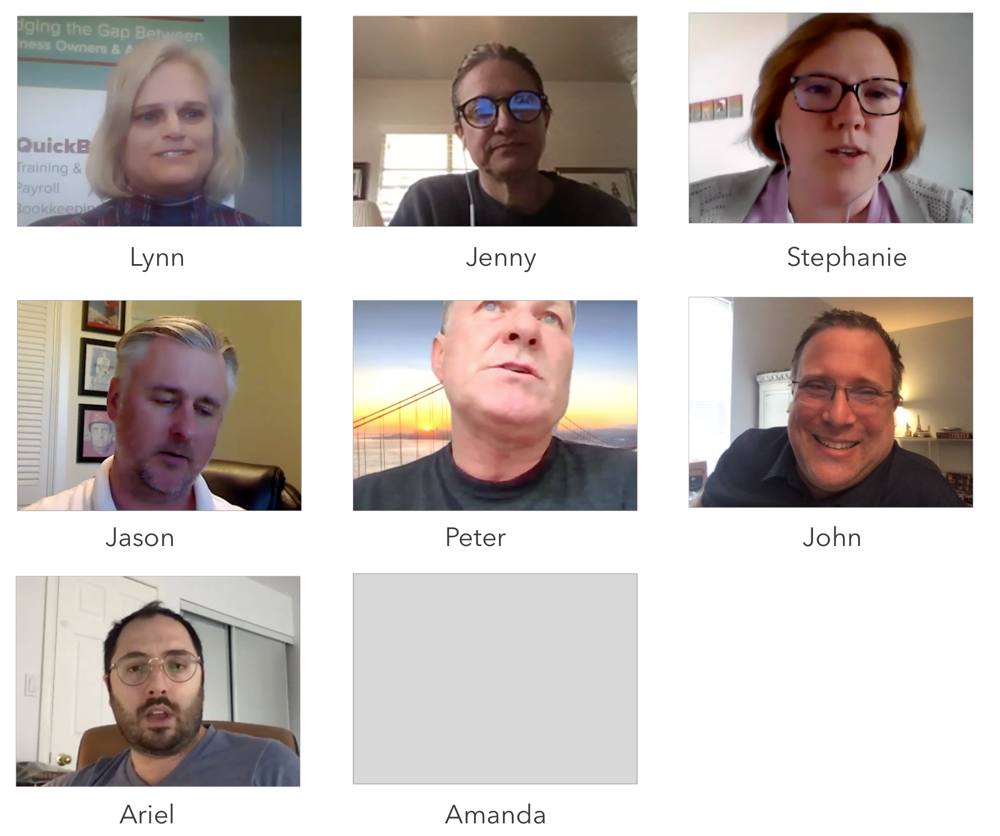
Who we talked to:
14 QBOA customers (99% customers)
Mid sized accountant/accounting firm (~100 clients)
2 national accountants agents (1000+ clients)
(1% customers)
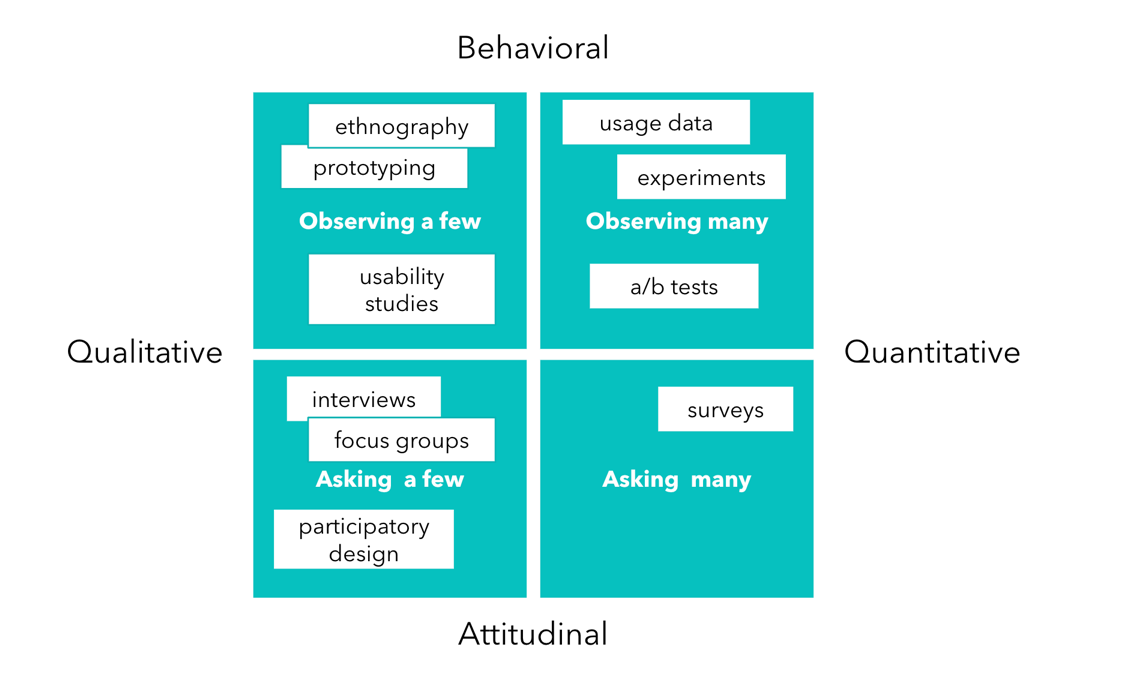
Methodology
Qualitative/behavioral type research and feedback on main features
1-hour sessions on Zoom (April & May, 2020)
We gave customers the following main tasks:
Manage subscription
Migrate in client(s)
Migrate out client(s)
Testing Results:
Task completion - 14/14
Confidence level - 5/5
Research methodology
User interviews
Key Learning
Validate requirements
Customer empathy is the key -- get customer feedback early to validate initial hypothesis
Fast iteration while doing customer research. Leave some time between sessions for quick design change based on feedback from earlier sessions. (or update the design on the fly)
During customer study, show the different design options in random order to minimize bias
Constant communication with cross-functional teams